

Search engine optimization often focuses on keywords, content, and backlinks. But there’s another foundational element that can quietly limit your SEO performance if overlooked: crawl budget.
For large or complex websites, or sites that have a history of technical issues, crawl budget optimization can make the difference between pages ranking consistently and pages never being discovered at all. This guide breaks down what crawl budget is, why it matters, and how to manage it effectively.
What is Crawl Budget?
Crawl budget refers to the number of pages a search engine—primarily Google—is willing and able to crawl on your website within a given timeframe.
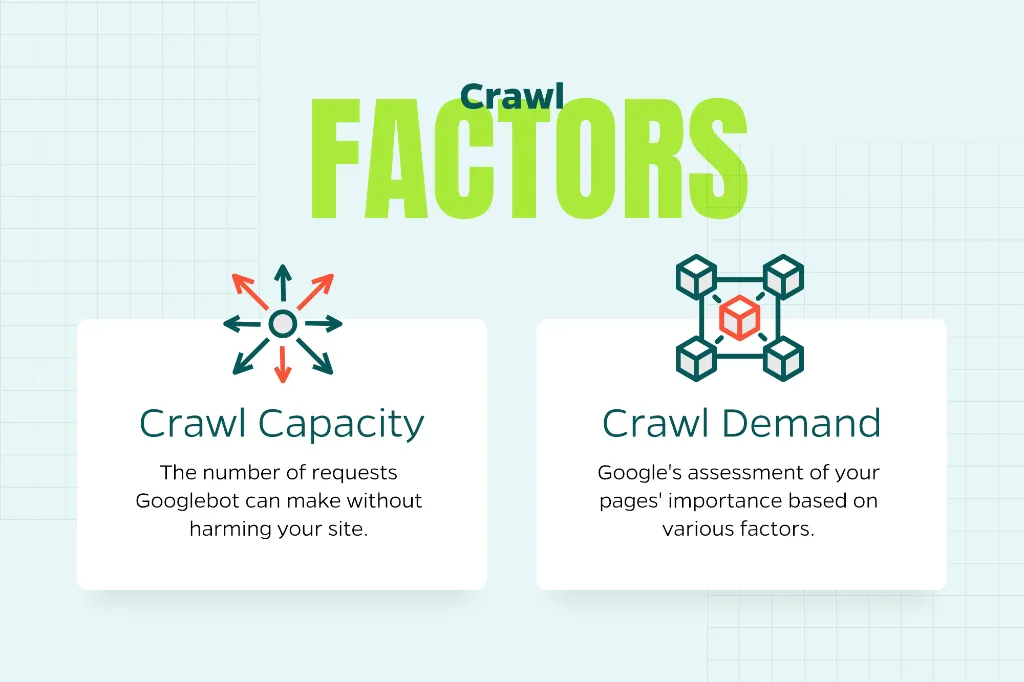
Google determines crawl budget based on two main factors:
Crawl capacity – How many requests Googlebot can make without negatively impacting your site’s performance.
Crawl demand – How important Google believes your pages are based on factors like freshness, popularity, and internal linking.
In simple terms, crawl budget answers the question: How much attention is Google giving your website?
If Google spends time crawling low-value or duplicate pages, it may not reach your most important pages as frequently, if at all.
Does Crawl Budget Matter for Every Website?
Not necessarily. For small websites with a few hundred pages, crawl budget is rarely an issue. Google can easily crawl and index everything.
Crawl budget becomes more important when a site has dynamic URL parameters, faceted navigation and filters, large ecommerce catalogs, frequent content updates, a history of technical SEO issues, or thousands of URLs.
If your site falls into one or more of these categories, crawl budget optimization should be part of your technical SEO strategy.
Why Crawl Budget Optimization Matters
Optimizing crawl budget ensures that search engines discover new pages faster, recrawl updated content more frequently, prioritize your most valuable pages, and avoid wasting resources on low-quality or unnecessary URLs.
When crawl budget is mismanaged, you may see important pages not indexed, delays in ranking new content, index bloat from duplicate or thin pages, and inefficient use of Googlebot resources.
In competitive industries, these issues can quietly hold back organic growth.
Common Crawl Budget Issues
Before diving into solutions, it’s helpful to understand what typically wastes crawl budget.
Duplicate and Near-Duplicate Pages
URL parameters, session IDs, and faceted navigation can generate multiple URLs with the same or very similar content. Google may crawl them all unless guided otherwise.
Thin or Low-Value Pages
Pages with little unique content—such as empty category pages or auto-generated content—consume crawl budget without providing SEO value.
Broken Pages and Redirect Chains
404 errors, soft 404s, and long redirect chains force crawlers to waste time on pages that don’t contribute to rankings.
Orphan Pages
Pages without internal links are harder for search engines to find and may be crawled infrequently or not at all.
Slow Server Response Times
If your server responds slowly, Google may reduce crawl activity to avoid overloading your site.
How to Optimize Your Crawl Budget
Crawl budget optimization is about helping Google crawl better. Here are the most effective ways to do that.
- Improve Site Performance
A fast, stable website allows Googlebot to crawl more pages efficiently. Focus on reducing server response times, using caching and a CDN where appropriate, and fixing performance bottlenecks identified in tools like PageSpeed Insights. Better performance increases crawl capacity and improves user experience at the same time.
- Clean Up Low-Value URLs
Audit your site for pages that don’t need to be crawled or indexed. Common actions include noindexing thin or low-value pages, consolidating duplicate content with canonical tags, and blocking unnecessary URLs in robots.txt (used carefully). The goal is to remove distractions so search engines focus on pages that matter.
- Use Internal Linking Strategically
Internal links signal importance to search engines. Best practices include linking to key pages from high-authority pages, ensuring important content is no more than a few clicks from the homepage, and avoiding excessive links to low-priority pages. Strong internal linking helps guide crawlers to your most valuable content first.
- Fix Crawl Errors
Regularly fix crawl error in Google Search Console. Pay close attention to 404 and soft 404 errors, redirect loops and long redirect chains, and blocked resources that should be crawlable. Fixing these issues prevents Googlebot from wasting time on dead ends.
- Manage URL Parameters and Faceted Navigation
For ecommerce and large catalog sites, this is critical. You can use canonical tags to point to preferred URLs, limit crawlable filter combinations, and configure URL parameter handling in Google Search Console when appropriate. This prevents thousands of unnecessary URLs from competing for crawl budget.
- Keep XML Sitemaps Clean and Updated
XML sitemaps should act as a roadmap—not a junk drawer. Best practices include including only indexable, canonical URLs, removing redirected or noindexed pages, and updating sitemaps when new content is added. A clean sitemap helps search engines prioritize crawling the right pages.
- Regularly Monitor Crawl Activity
Crawl budget optimization is not a one-time task. Use tools like Google Search Console (Crawl Stats report), log file analysis, and enterprise SEO platforms for large sites. Monitoring trends helps you catch problems early and measure the impact of changes.
Final Thoughts
Crawl budget optimization is often overlooked, but it plays a crucial role in how efficiently search engines interact with your website—especially as your site grows.
The good news is that many crawl budget improvements overlap with broader technical SEO best practices: better performance, cleaner architecture, and higher-quality content. When you focus on these fundamentals, crawl budget issues often resolve themselves naturally.
Want assistance in figuring it out? Contact Straight North. Our SEO experts can help you navigate the changes and dramatically improve your site’s ranking.