
Crawlability is one of the most overlooked aspects of SEO. You can create great content and earn strong backlinks, but if search engines and AI tools can’t properly crawl your site, no one will find you.
In this guide, we will explore this important technical SEO topic. We’ll break down what crawlability means, why it’s crucial in 2025, and how you can optimize your site so both traditional search engines and AI systems can effortlessly navigate it.
What Is Crawlability? Why Does It Matter?
Crawlability describes how easily automated bots (also called crawlers or spiders) can access and navigate your website. Crawlers follow links, analyze content, and decide which pages should be indexed in search results.
When your site is easy to crawl, search engines can:
- Discover new and updated pages quickly
- Understand your site’s structure and hierarchy
- Pass ranking signals efficiently through internal links
When your site is difficult to crawl, search engines may not index your pages, and they can drop out of search results. It’s as if your site doesn’t exist.
In today’s world, crawlability also impacts AI visibility. Tools like ChatGPT, Gemini, and Perplexity rely on high-quality, accessible data from the web. They use that data to train their models and deliver search results. A crawlable site keeps your brand relevant in a new age of AI-driven discovery.
So, what can you do to ensure your site is crawlable?
Step 1: Optimize Your Robots.txt File
The robots.txt file tells crawlers which parts of your site they can and can’t access. It’s stored in the root directory (e.g., yoursite.com/robots.txt) and is often one of the first files a bot checks.
Best practices:
- Allow crawlers to access essential resources (CSS, JavaScript, images).
- Avoid blocking your main content pages.
- Only disallow low-value or private areas, such as /admin/, /cart/, or /thank-you/.
- Test your file in Google Search Console’s robots.txt Tester to ensure there are no accidental blocks.
Example of a healthy robots.txt setup:
User-agent: *
Disallow: /admin/
Allow: /
Sitemap: https://www.example.com/sitemap.xml
Step 2: Create and Maintain XML Sitemaps
Your XML sitemap is like a roadmap for crawlers, listing all the key URLs you want indexed.
To maximize its effectiveness:
- Include only indexable pages (not those marked “noindex”).
- Update your sitemap automatically when you add or remove pages.
- Submit it in Google Search Console and Bing Webmaster Tools.
- For large sites, divide sitemaps by content type (blog, products, categories).
A well-structured sitemap helps ensure new or updated pages are discovered faster. It’s a small effort with big SEO payoff.
Step 3: Strengthen Your Internal Linking
Internal links are essential crawl paths. They help search engines (and users) navigate your content and understand which pages are most important.
Internal linking tips:
- Use descriptive anchor text (e.g., “technical SEO guide” instead of “click here”).
- Link from high-authority pages (such as your homepage or cornerstone content) to pages you want to boost.
- Keep links logical and relevant — avoid spam.
- Audit internal links regularly to remove broken or redirected URLs.
A clean, interconnected structure distributes ranking power across your site. It improves discoverability for both search engines and AI crawlers.
Step 4: Simplify Your Site Architecture
A logical site structure helps crawlers move through your content efficiently. Ideally, every important page should be reachable within three to four clicks from the homepage.
To improve structure:
- Use a clear hierarchy (Home → Category → Subcategory → Page).
- Keep URLs short, descriptive, and consistent.
- Avoid deep nesting (like /products/category/subcategory/option/page.html).
- Use breadcrumbs for navigation — they reinforce hierarchy for users and crawlers.
When your architecture is clean, search engines can better understand content relationships and assign appropriate ranking value.
Step 5: Improve Site Speed and Server Performance
Fast sites are easier to crawl. If your pages load slowly or your server times out, crawlers may abandon them before indexing.
To optimize crawl performance:
- Use a Content Delivery Network (CDN) to serve assets faster.
- Compress images and enable lazy loading.
- Minify and combine CSS and JavaScript.
- Reduce redirect chains and unnecessary parameters.
- Monitor server logs to ensure bots aren’t being throttled or blocked.
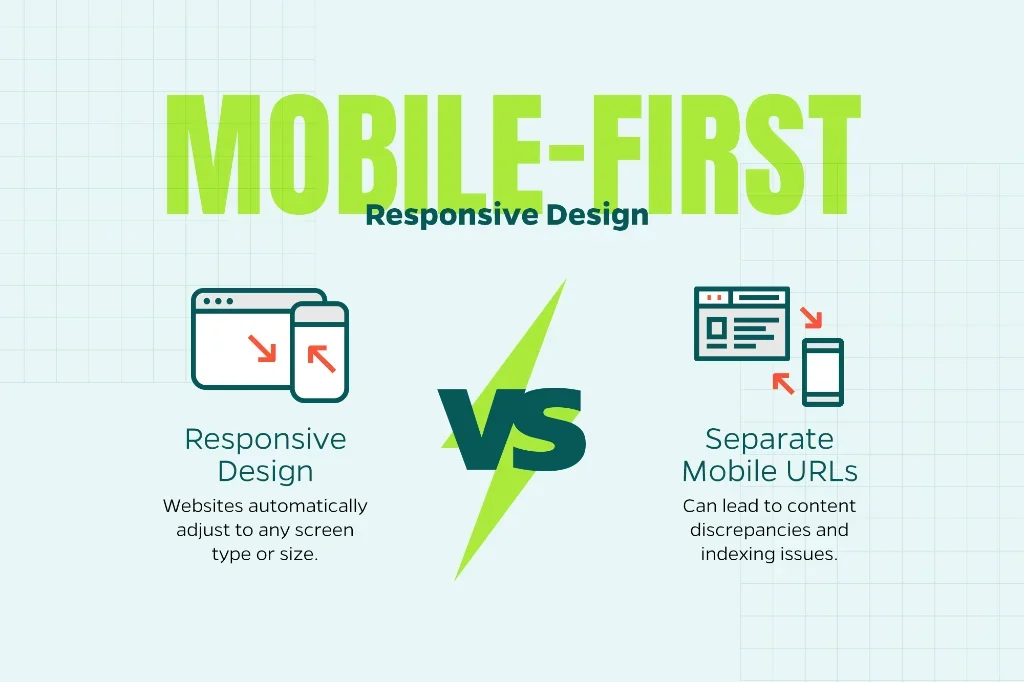
Remember: crawl budget — the number of pages Googlebot will crawl — is finite. Make every crawl count by keeping your site fast and efficient.
Step 6: Eliminate Crawl Barriers
Certain technical issues can block crawlers, even when your robots.txt and sitemap are perfect. These include:
- Broken links or redirect chains
- Heavy JavaScript frameworks that require rendering before content appears
- Session IDs or tracking parameters that generate duplicate URLs
- Infinite scroll pages without proper pagination markup
Fixes:
- Run regular site crawls using tools like Screaming Frog, BrightEdge, Sitebulb, or Ahrefs Site Audit.
- Ensure important content loads in HTML, not just dynamically through JavaScript.
- Implement canonical tags to consolidate duplicate URLs.
- Use <link rel=”next”> and <link rel=”prev”> for paginated content where relevant.
Fixing crawl errors and reducing crawl barriers and your site will be more efficient for both humans and robots.
Step 7: Ensure Mobile and HTTPS Accessibility
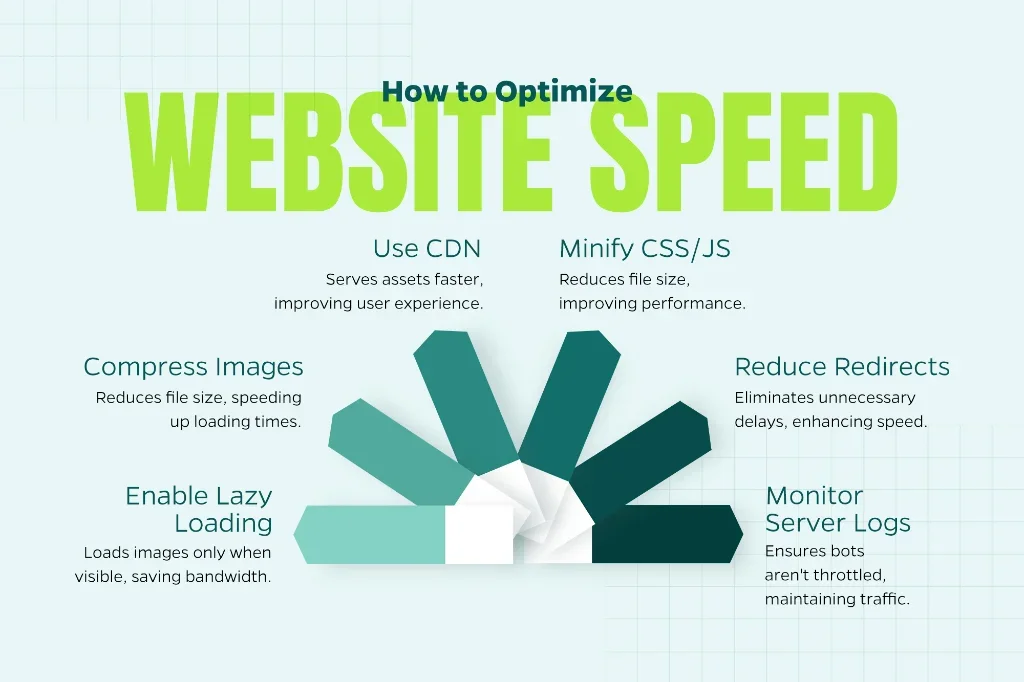
Google uses mobile-first indexing, meaning it primarily crawls and indexes your mobile version. Consequently, you should:
- Use responsive design, not separate mobile URLs.
- Ensure mobile content matches desktop content.
- Avoid intrusive pop-ups or interstitials.
And don’t forget HTTPS. Secure sites are preferred by both users and crawlers. Make sure your SSL certificate is valid, your redirects are in place, and there’s no “mixed content” on your pages.
Step 8: Use Structured Data for Clarity
Structured data (Schema.org markup) helps search engines understand your content’s meaning, not just its text.
Examples:
- Organization schema for your company details
- Product schema for e-commerce listings
- Article schema for blog posts
Adding structured data can enhance how your pages appear in results and make your content more recognizable to AI systems that rely on contextual data to surface relevant answers.
Step 9: Monitor Crawl Stats and Index Coverage
Crawlability is not “set it and forget it.”
Use Google Search Console → Crawl Stats to monitor:
- How often your site is crawled
- Which URLs are most frequently accessed
- Any spike in errors (like 404s or server issues)
Also, review the Index Coverage Report to confirm that your key pages are indexed — and that low-value pages aren’t taking up crawl budget.
The Bottom Line
Ultimately, improving crawlability is about visibility. If you want to stay in business, your prospective customers need to know you exist. Crawlability helps get your online marketing up and running.
If you’re unsure where to start, Straight North can help. Our SEO specialists conduct in-depth technical audits to uncover crawl barriers, improve indexing efficiency, and enhance your overall search visibility. Interested? Reach out to us.