


When it comes to SEO, most conversations revolve around content, keywords, backlinks, and technical performance. Those are all critical pieces of the puzzle. But there’s another layer that often doesn’t get the attention it deserves: guiding search engines on how to navigate your website.
Two of the most powerful (and frequently misunderstood) tools for doing that are XML sitemaps and robots.txt files.
Think of your website like a large office building. An XML sitemap is the directory in the lobby that tells visitors what rooms exist and where they’re located. The robots.txt file is the security desk that determines where visitors can and can’t go.
Used properly, these tools help search engines crawl your site efficiently and index the pages that matter most. Used incorrectly, they can block valuable content from ever appearing in search results.
Let’s break down how each one works and how to use them strategically.
What is an XML Sitemap?
An XML sitemap is a file that lists the important URLs on your website. It’s specifically designed for search engines, not human visitors.
At its core, an XML sitemap helps search engines discover new pages, understand your site structure, prioritize important content, and identify when content was last updated.
While search engines like Google are very good at crawling sites through internal links, they aren’t perfect. Large websites, new websites, ecommerce platforms, and sites with complex navigation especially benefit from having a clearly structured XML sitemap.
What Should Be Included?
Not every URL belongs in your sitemap. A common mistake is including every single page automatically.
Your XML sitemap should include core service pages, product pages, key blog posts, resource content, and landing pages you want indexed.
It should not include duplicate pages, filtered or faceted URLs, admin or backend pages, thin content, or pages you don’t want indexed.
In short, your sitemap should reflect your most valuable, index-worthy content.
Do You Even Need an XML Sitemap?
In some cases, Google can find everything on your site without one. But that doesn’t mean you should skip it.
An XML sitemap is especially important if your site has hundreds or thousands of pages, you have a large ecommerce catalog, your site is new and has few backlinks, you use dynamic URLs, or your internal linking structure isn’t perfect.
In other words, most businesses benefit from having one—even if it’s simply reinforcing what search engines already know.
What is a Robots.txt File?
If your XML sitemap is the directory, your robots.txt file is the rulebook.
The robots.txt file lives at the root of your domain (example.com/robots.txt). It tells search engine crawlers which areas of your website they are allowed—or not allowed—to access.
It uses simple directives like:
- User-agent (which crawler the rule applies to)
- Disallow (what not to crawl)
- Allow (what can be crawled)
For example, you might block search engines from crawling admin login areas, shopping cart pages, internal search results, or staging and test environments.
The goal is to preserve crawl budget and prevent low-value or sensitive pages from being accessed unnecessarily.
A Critical Distinction: Crawling vs. Indexing
One of the biggest misconceptions about robots.txt is assuming that blocking a page from being crawled automatically prevents it from being indexed.
It doesn’t.
Robots.txt controls crawling—not indexing.
If other websites link to a blocked URL, search engines can still index it without crawling it. If you truly want to prevent indexing, you need a noindex meta tag on the page or proper password protection.
This distinction matters. Accidentally blocking your entire site in robots.txt can significantly damage visibility if not caught quickly.
How XML Sitemaps and Robots.txt Work Together
These two tools serve different purposes but should complement one another.
Here’s how they align: Your XML sitemap lists the pages you want crawled and indexed. Your robots.txt file blocks pages you don’t want crawled.
They should never overlap. If a page is disallowed in robots.txt, it should not appear in your XML sitemap. That sends mixed signals to search engines.
A best practice is to include your sitemap location inside your robots.txt file. For example:
Sitemap: https://www.yoursite.com/sitemap.xml
This makes it easy for search engines to find your sitemap immediately.
Common Mistakes to Avoid
Even small missteps can have outsized SEO consequences. Here are some of the most common issues we see:
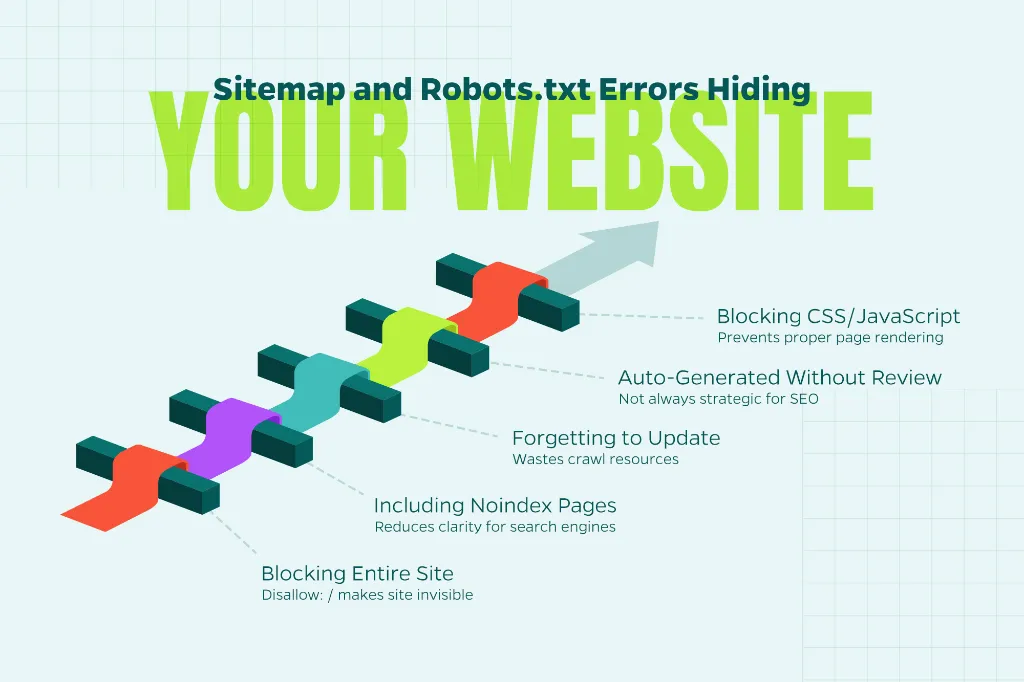
Blocking the Entire Site
During development, it’s common to block all crawlers using Disallow: /. If that line makes it to your live site, your entire website becomes invisible to search engines.
Including Noindex Pages in the Sitemap
Your sitemap should only contain indexable URLs. Mixing signals reduces clarity.
Forgetting to Update the Sitemap
If you delete or redirect pages, your sitemap should reflect those changes. Otherwise, you’re wasting crawl resources.
Letting the CMS Auto-Generate Without Review
Many content management systems automatically generate sitemaps. That’s convenient—but not always strategic. Regular audits ensure you’re only including the right pages.
Blocking CSS or JavaScript
Sometimes robots.txt blocks important assets like CSS or JS files. This can prevent search engines from rendering pages properly and affect rankings.
How to Audit Your Current Setup
If you’re not sure whether your sitemap and robots.txt are helping or hurting, start with these steps:
- Check your robots.txt file manually by visiting yourdomain.com/robots.txt.
- Look for accidental global disallows.
- Submit your XML sitemap in Google Search Console.
- Review the Coverage or Indexing report to identify excluded pages.
- Use crawl tools and implement website crawling best practices to see how search engines likely interpret your directives.
An audit often reveals inconsistencies that can be corrected quickly. Those small corrections can have a measurable impact.
Strategic Considerations for Growing Websites
As websites grow, complexity increases. Ecommerce filters, blog categories, pagination, and dynamic parameters can all create crawl challenges.
In these cases, sitemap segmentation may help. For example, separate product sitemap, separate blog sitemap, and separate service page sitemap.
This makes monitoring easier within Search Console and helps diagnose indexing issues by content type.
Additionally, large sites may need to think carefully about crawl budget—the number of pages search engines allocate to crawl within a given timeframe. Blocking low-value URLs through robots.txt can help ensure important pages are discovered and refreshed more frequently.
Why This Matters for SEO Performance
At a high level, SEO is about helping search engines understand your content and recognize its value.
XML sitemaps and robots.txt files don’t directly improve rankings. They don’t add keywords. They don’t build links.
What they do is remove friction.
They ensure search engines find your best pages, ignore irrelevant sections, crawl efficiently, and interpret your site structure clearly.
And when technical clarity supports strong content and authority signals, performance improves.
Conclusion
An optimized XML sitemap acts as a roadmap to your most valuable content. A properly configured robots.txt file protects crawl efficiency and keeps search engines focused on what matters.
Together, they create a cleaner, more intentional technical foundation for SEO success.
If you haven’t reviewed your sitemap or robots.txt file recently, it may be time. Small adjustments at the technical level often unlock opportunities that content and link building alone can’t solve.
Need help managing this process? Contact Straight North. We guide companies through the entire spectrum of digital marketing strategies to enhance their websites and increase revenue.