


Duplicate content is a persistent SEO challenge that can quietly erode organic performance. Why? It dilutes your search visibility and makes it harder for search engines to understand which version of a page should rank. That’s where canonical tags come in. When implemented correctly, canonical tags give search engines clear guidance on which URL represents the primary version of a page. This allows you to preserve link equity, consolidate ranking signals, and reduce index bloat.
In this article, we’ll explain canonical tags: why they matter, how to use them effectively, and common mistakes to avoid. Whether you’re working on a large site with thousands of URLs or managing a smaller domain with a handful of product variations, it’s critical to understand canonicalization to promote a clean, high-performing SEO environment.
What is a Canonical Tag?
A canonical tag is an HTML element placed in the <head> section of a webpage that signals to search engines which URL should be treated as the preferred version. The syntax looks like this:
<link rel="canonical" href="https://www.example.com/preferred-page/">
Canonical tags are especially useful when different URLs contain similar or identical content. For instance, if your ecommerce store generates multiple URLs for the same product (such as filtered views, pagination parameters, or session IDs), canonical tags help indicate which version should carry ranking weight.
It’s important to note that canonical tags act as a strong hint rather than an absolute directive. While Google follows them in most cases, the search engine may override the canonical selection if it believes a different URL is a better match. That said, correct usage significantly increases the likelihood that your preferred URL will be honored.
Why Canonical Tags Matter
Duplicate content can emerge for many reasons: technical settings, CMS quirks, tracking parameters, printer-friendly pages, or product variations. Even if these differences seem small, search engines may treat each unique URL as a separate page, which can split link authority and confuse indexing.
Canonical tags mitigate these issues by:
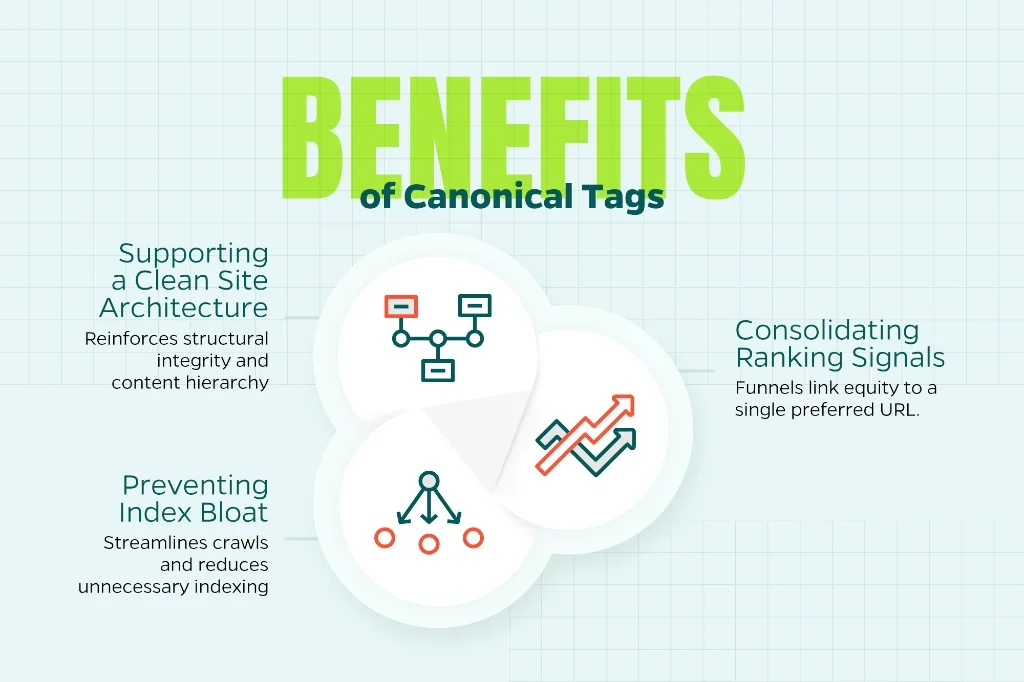
Consolidating Ranking Signals
When several URLs share similar content, canonical tags help funnel link equity to a single preferred URL. As a result, that canonical version is more likely to rank well.
Preventing Index Bloat
Search engines have finite resources for crawling and indexing. By signaling which pages matter most, canonical tags help streamline crawls and reduce unnecessary indexing of duplicate or thin pages.
Supporting a Clean Site Architecture
A properly implemented canonical strategy reinforces a site’s structural integrity. Search engines gain a clearer understanding of your content hierarchy, which improves their ability to interpret relevance and authority.
Common Scenarios That Require Canonical Tags
Because duplicate content can arise in many forms, canonical tags often come into play across a wide range of website types. Some of the most common situations include:
- URL Parameters
Analytics tracking, sorting options, and filtering tools can create appended URL parameters. These variations typically present the same main content but are still treated as unique URLs by search engines. Canonical tags guide them back to the primary version.
- HTTP vs. HTTPS or WWW vs. Non-WWW
Ideally, you should manage canonical versions through redirects, but canonical tags provide an additional layer of clarity. If both versions of your site are accessible, canonicalization signals which one search engines should index.
- Pagination and Sorting in Ecommerce
Category pages with sorting or pagination may create multiple similar pages. While rel=”next” and rel=”prev” are no longer used by Google, canonical tags still play a role in consolidating equity to the main category page.
- Duplicate Product Pages
If you offer slight variations of the same product (color, size, or SKU), canonical tags can help consolidate ranking signals to a single product page. This prevents unintentional content competition among your own URLs.
- Content Syndication
When your article is republished on another site, requesting a canonical link back to the original source can protect your ranking authority and ensure search engines display your version over syndicated copies.
How to Implement Canonical Tags Correctly
While canonical tags are simple in concept, proper execution requires attention to technical details. Here are best practices to follow:
Use Absolute URLs
Canonical tags should always include the full, absolute URL, including protocol. This reduces the risk of misinterpretation. For example:
<link rel=”canonical” href=”https://www.example.com/page/”>
Point Canonicals to the Most Authoritative Version
Your canonical URL should reflect the page you want to rank, typically the cleanest, most user-friendly version. It should not include parameters or unnecessary identifiers.
Ensure Canonical Pages are Indexable
If you point to a canonical page that is blocked by robots.txt, tagged with a noindex, or otherwise inaccessible, search engines may ignore your canonical preference. A canonical page should always be crawlable and indexable.
Avoid Mixing Canonical Tags with Redirects
If a page already redirects, you generally don’t need to add a canonical tag. The redirect itself indicates the preferred URL. Overusing both can send mixed signals to search engines.
Keep Content Consistent
The content on the canonical page should closely match or mirror its duplicate versions. Drastic differences may cause search engines to disregard the canonical hint.
Use Self-Referencing Canonicals
Self-referencing canonicals (where a page includes a canonical tag pointing to itself) are a best practice. They help prevent indexing confusion, especially in environments using parameters or pagination.
Canonical Tags vs. Other Duplicate Content Solutions
Canonical tags are only one tool in the duplicate content toolbox. Understanding how they compare to other methods can help you choose the right approach.
301 Redirects
Redirects are the strongest signal you can send to consolidate URLs. They remove the old URL from the index and transfer ranking signals. Use redirects when one URL should no longer exist or is permanently replaced.
Noindex Tags
A noindex tag prevents a page from appearing in search results but does not consolidate ranking signals. This is useful for pages that should remain accessible to users but not indexed, such as thank-you pages.
Parameter Handling Tools
Google Search Console once offered parameter handling controls, but these have been deprecated. Canonical tags remain the most effective tool for managing parameter-driven duplicates.
Hreflang Attributes
Hreflang manages international content variations and operates independently of canonical tags. When using both, the canonical URL must match the page’s language and regional version to avoid conflicts.
Common Canonical Tag Mistakes
Even minor canonical errors can cause significant SEO issues. Here are some pitfalls to watch for:
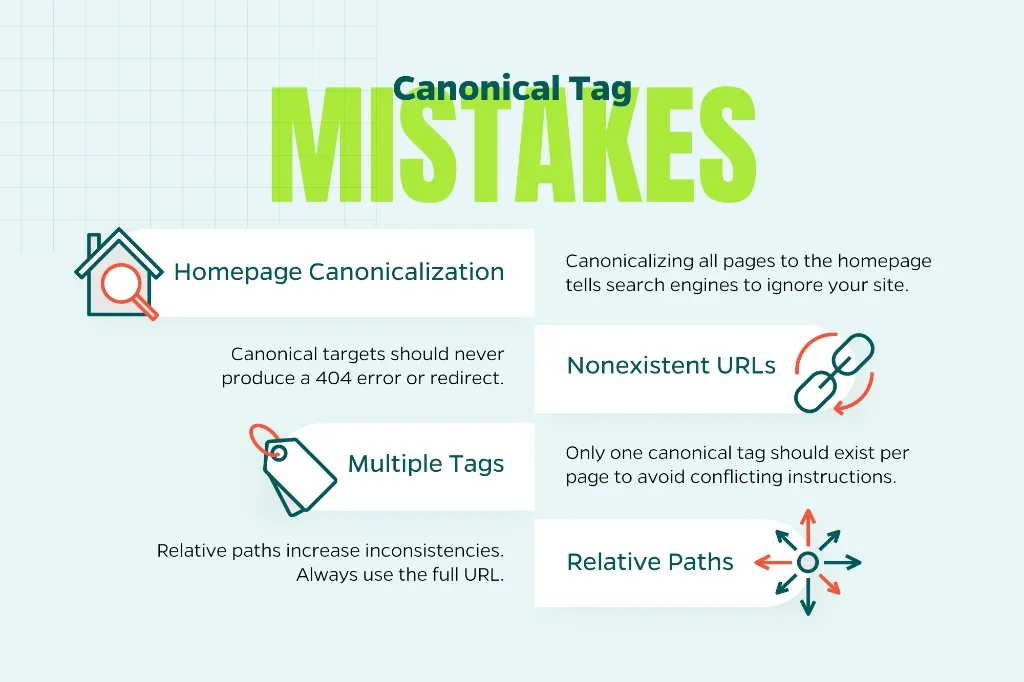
Canonicalizing All Pages to the Homepage
This mistake essentially tells search engines to ignore your entire site. Canonical tags should reflect logical, content-driven relationships, not shortcut indexing decisions.
Pointing Canonicals to Nonexistent or Redirecting URLs
Your canonical target should never produce a 404 or a redirect. Use a live, clean URL.
Having Multiple Canonical Tags on One Page
Only one canonical tag should exist per page. Multiple instances send conflicting instructions.
Using Relative Paths
Relative paths increase the likelihood of inconsistencies across environments. Always use the full URL.
How Canonical Tags Support Broader SEO Strategy
Canonical tags do more than clean up duplicate content; they contribute to a scalable, efficient SEO foundation. When implemented properly, they:
- Strengthen your internal linking structure by consolidating ranking equity.
- Support consistent crawl behavior across your domain.
- Complement content strategy by ensuring the right pages are indexed.
- Help preserve organic performance across product launches, site redesigns, and CMS changes.
For digital marketing teams and agencies, canonicalization offers an important safeguard against structural SEO issues that can quietly undermine performance. Combined with strong technical SEO, thoughtful content strategy, and a user-focused site architecture, canonical tags contribute to a site that is easy for both users and search engines to navigate.
Final Thoughts
Duplicate content issues can arise in any site environment, from enterprise-level ecommerce platforms to small business websites. Canonical tags remain one of the most effective tools for clarifying URL preferences, preserving ranking signals, and preventing index inefficiencies.
Need help managing or creating canonical tags? Reach out to Straight North. We have a proven record of success in elevating our clients’ digital marketing plans.