
LinkedIn Ads can be one of the most direct paths to the people who matter most to your business. The platform isn’t cheap, and it has a learning curve. But when LinkedIn campaigns are built with the right strategy, they consistently outperform other channels for B2B lead generation. This guide will walk you through the fundamentals so you can evaluate whether LinkedIn advertising makes sense for your company. It will also explain what to expect if you decide to get started.
Why LinkedIn for B2B Advertising?
LinkedIn’s biggest differentiator is its audience. With more than one billion members worldwide, the platform is home to professionals across virtually every industry, and its targeting options reflect that. You can reach people based on job title, seniority, company size, industry, and even specific skills or group memberships. That level of precision is rare.
For B2B marketers, this means you’re reaching the CFO at a 500-person manufacturing company, or the HR director at a regional healthcare system. That targeting capability is why LinkedIn often delivers higher-quality leads than other platforms, even when cost-per-click is higher.
Ad Formats Worth Knowing
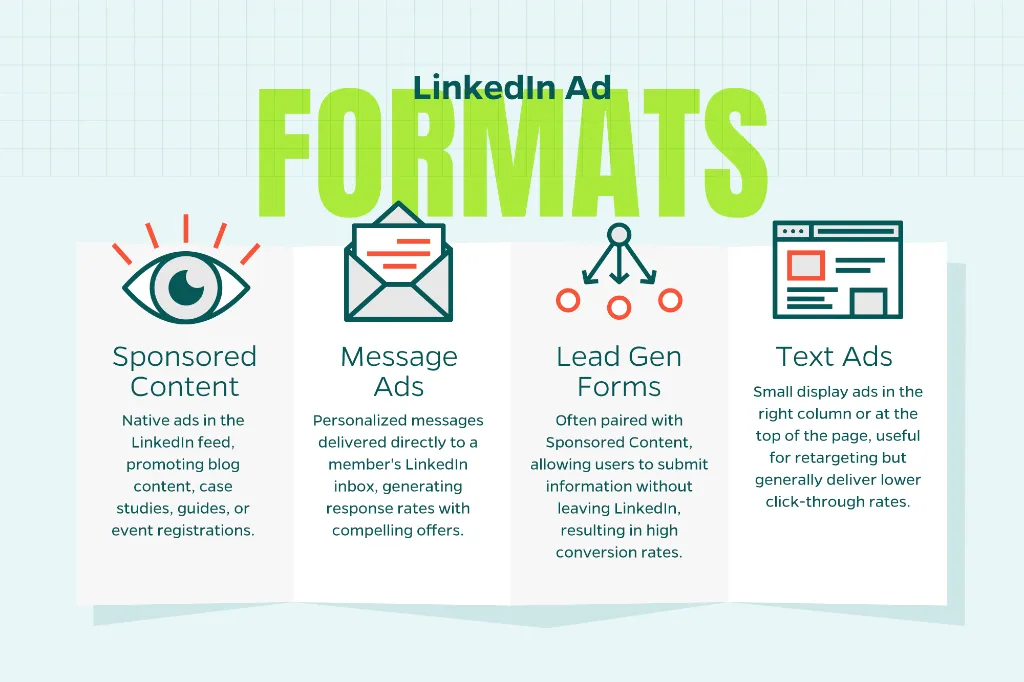
LinkedIn offers several ad types, and choosing the right one matters. Here are the formats B2B marketers use most often:
- Sponsored Content: These are native ads that appear directly in the LinkedIn feed. They look like organic posts and work well for promoting blog content, case studies, guides, or event registrations. Single image, video, and carousel formats are all available.
- Message Ads: Delivered directly to a member’s LinkedIn inbox, these ads let you send a personalized message with a single call to action. They can feel intrusive if not done well, but with a compelling offer and relevant targeting, they generate strong response rates.
- Lead Gen Forms: These are often paired with Sponsored Content and allow users to submit their information without leaving LinkedIn. Because the form auto-populates with their profile data, conversion rates are typically high.
- Text Ads: Small display ads that appear in the right column or at the top of the page. They’re lower cost and useful for retargeting but generally deliver lower click-through rates than feed-based formats.
Setting Up Your First Campaign
LinkedIn ads are managed through Campaign Manager, the platform’s self-serve advertising tool. Before you create your first campaign, you’ll need a LinkedIn Company Page and a Campaign Manager account linked to it.
When you build a campaign, you’ll start by choosing an objective. LinkedIn organizes objectives into three stages — Awareness, Consideration, and Conversions — and your choice will shape how your ads are delivered and what actions LinkedIn optimizes for. If you’re new to the platform, starting with a Consideration objective like Website Visits or Engagement is often a practical way to test the waters before committing to conversion-focused spend.
From there, you’ll build your audience. This is where LinkedIn advertising earns its reputation. The targeting interface lets you layer multiple criteria. For example, this could be targeting Operations Managers at companies with 100 to 500 employees in the logistics industry. You can also upload a list of target accounts or contacts to reach specific companies or individuals directly, which is especially useful for account-based marketing strategies.
Budget, Bidding, and What to Expect
LinkedIn has a reputation for being expensive, and that reputation is not entirely unfounded. Cost-per-click typically ranges from $5 to $15 or more, depending on your audience and competition. LinkedIn’s minimum daily budget is $10, but to generate meaningful data and leads, most B2B campaigns require at least $1,000 to $2,000 per month.
That said, cost needs to be evaluated in context. A $12 click that converts into a $50,000 contract looks very different from a $2 click that generates no meaningful pipeline. The higher upfront cost is often justified when your product or service has a substantial lifetime value, and your targeting is dialed in.
For bidding, LinkedIn offers automated options (Maximum Delivery and Target Cost) as well as manual bidding. If you’re getting started, Maximum Delivery lets LinkedIn’s algorithm optimize your results without requiring you to set specific bid amounts. As you gather performance data, you can shift to more controlled bidding strategies.
What Makes LinkedIn Ads Work
Even with strong targeting, your campaigns will struggle without the right creative and offer. Here are a few principles that hold up consistently:
- Lead with value. LinkedIn users are in a professional mindset. Ads that offer something useful, such as a relevant guide, a webinar, or a free assessment, outperform ads that lead with a hard sell.
- Be direct in your copy. Professionals scroll quickly. Get to the point fast and make sure your headline and opening sentence communicate the benefit clearly.
- Match the ad to the audience’s stage. Someone who has never heard of your company needs a different message than someone who has already visited your website. Use retargeting audiences for warmer, more conversion-focused messaging.
- Test, then optimize. Run two or three creative variants at launch to see what resonates. Let the data guide your decisions rather than assumptions.
Measuring What Matters
LinkedIn Campaign Manager provides a solid set of reporting tools. For most B2B campaigns, the metrics that matter most are click-through rate, cost-per-lead, lead form completion rate, and ultimately, the quality of leads entering your pipeline.
Install the LinkedIn Insight Tag on your website as early as possible. This pixel enables conversion tracking, retargeting, and demographic reporting on your site visitors. This data becomes more valuable the longer it has to accumulate.
One common pitfall is evaluating LinkedIn campaigns on the same timeline as lower-funnel channels like paid search. Because LinkedIn typically operates earlier in the buying cycle, attribution can be slower. Give your campaigns enough runway before drawing conclusions about performance. That could be 60 to 90 days.
Is LinkedIn Advertising Right for Your Business?
LinkedIn Ads work best for B2B companies with a defined target audience of professionals, a sales cycle that benefits from relationship-building, and a product or service with enough margin to justify a higher cost per lead. If you’re selling to other businesses, particularly in industries like professional services, manufacturing, technology, or healthcare, it’s a channel worth serious consideration.
If your LinkedIn budget is limited, start small with a tightly defined audience and a strong offer. Use what you learn from early campaigns to refine your targeting and messaging before scaling. The platform rewards patience and strategic iteration.
Need Help?
Want to explore whether LinkedIn Ads are a fit for your B2B marketing strategy? Contact Straight North to talk through your goals and get expert guidance on where to start.