


If your business serves customers in a specific geographic area, your Google Business Profile (GBP) is one of the most valuable pieces of digital real estate you have. It’s what shows up when someone searches for your business by name, or when Google decides your company is relevant to a local search. A complete, well-optimized profile can drive phone calls, website visits, and foot traffic. A neglected one can quietly cost you all three.
Setting up a GBP correctly from the start is one of the highest-return tasks in local SEO. Here’s a straightforward guide on how to set up your GBP and maintain it.
Getting Started: Claiming and Verifying Your Profile
Before you can optimize anything, you need to own your listing. Go to business.google.com and sign in with the Google account you want associated with your business. Search for your business name to see if a profile already exists. Google sometimes creates listings automatically from publicly available data, so there’s a reasonable chance yours is already out there — just unclaimed.
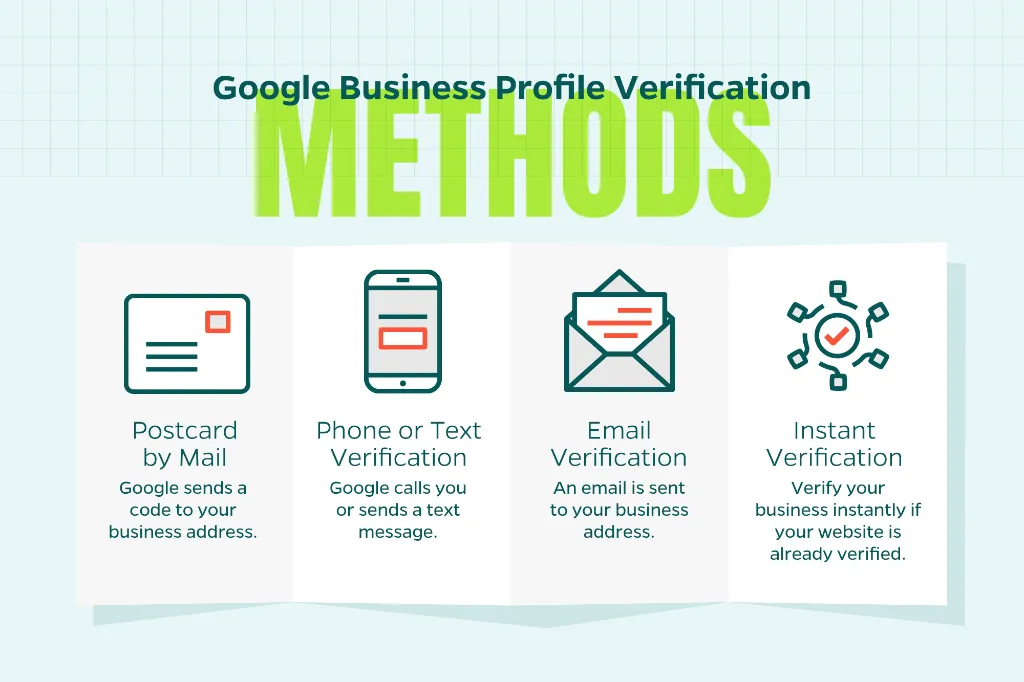
If a listing exists, claim it. If not, create one from scratch. Either way, you’ll need to verify your ownership. Google offers several verification methods depending on your business type and location:
- Postcard by mail (this is the most common method; Google sends a code to your business address)
- Phone or text verification
- Email verification
- Instant verification (available if your website is already verified in Google Search Console)
Once verified, you have full control over the listing and can start filling it out properly.
Fill Out Every Section
Google rewards complete profiles with better visibility. Partially filled-out listings signal to the algorithm that a business may not be active or credible. Go through each section deliberately.
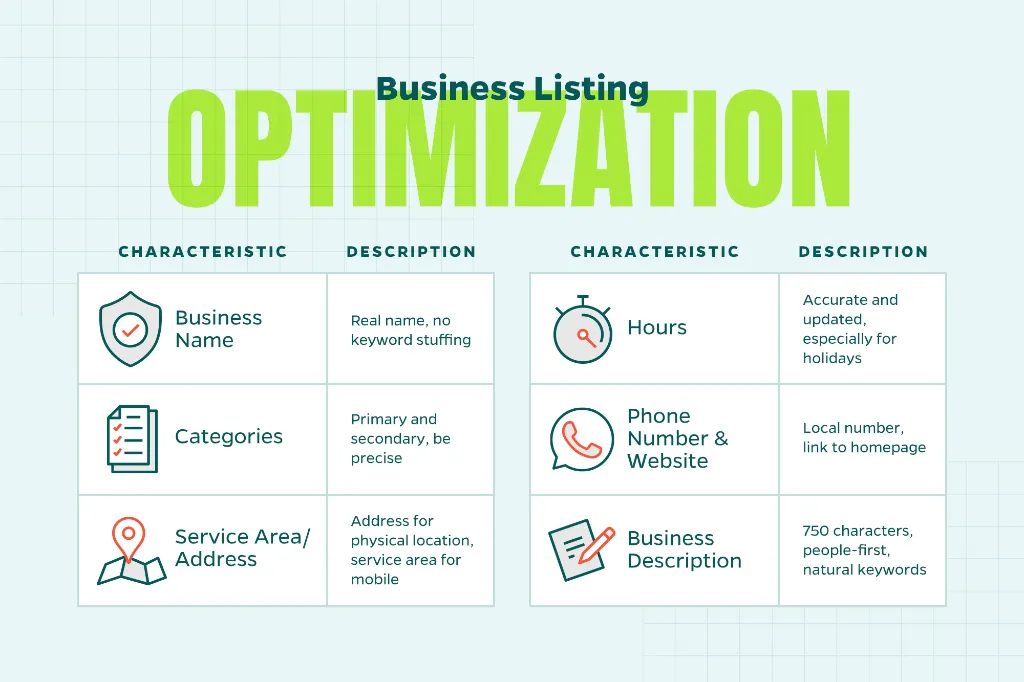
Business name. Use your real business name as it appears on your signage and website. Don’t stuff it with keywords. That violates Google’s guidelines and can get your listing suspended.
Categories. Choose a primary category that most accurately describes what you do. You can add secondary categories but be precise. Vague or overly broad categories dilute your relevance.
Service area vs. address. If customers come to your location, list your address. If you go to them, set a service area instead. If you do both, you can include both.
Hours. Keep these accurate and update them for holidays or special circumstances. Few things frustrate customers more than showing up to a business that Google says is open but isn’t.
Phone number and website. Use a local phone number when possible and link to your actual homepage or a relevant landing page.
Business description. You have up to 750 characters. Use them to explain what you do, who you serve, and what sets you apart. Write it for people first, not search engines. Weave in a relevant keyword or two naturally but keep it readable.
Add Photos That Represent Your Business
Profiles with photos receive significantly more clicks and requests for directions than those without. Upload a clear, professional cover photo and logo. Then add images that give potential customers a sense of what to expect. Examples of this include your storefront, interior, team, products, or completed work. For service businesses like contractors or landscapers, before-and-after photos can be particularly persuasive.
Avoid stock photography. Google users are looking for authenticity. Generic images don’t build the kind of trust that drives calls or visits. Aim to add new photos regularly as active profiles tend to perform better than static ones.
Take Reviews Seriously
Customer reviews are one of the most influential factors in local search rankings and help determine whether a prospective customer chooses you over a competitor. A steady stream of positive reviews signals to Google that your business is active and trusted.
Make it easy for satisfied customers to leave reviews by sharing your direct review link (available in your GBP dashboard). Follow up after a purchase or service and make the ask simple. Don’t offer incentives in exchange for reviews as that violates Google’s policies and can result in penalties.
It’s a good idea to respond to all your reviews, whether positive or negative. A thank-you goes a long way. For negative reviews, stay professional, acknowledge the concern, and offer to resolve it offline. How you respond publicly tells future customers as much about your business as the review itself.
Use Posts and Q&A to Stay Active
Google Business Profile lets you publish short posts that appear directly on your listing. These are comparable to brief social media posts. You can use them to promote offers, share news, highlight services, or point to recent blog content. Posts expire after seven days (except for event and offer posts). So, a regular publishing cadence keeps your listing looking fresh.
The Q&A feature is easy to overlook but worth monitoring. Anyone can submit a question, and anyone can answer — including people who don’t work for you. Check this section regularly and provide accurate, helpful answers to common questions. You can also seed it with questions and answers yourself, which helps surface useful information before customers even ask.
The Importance of Ongoing Maintenance
A Google Business Profile isn’t a “set it and forget it” asset. Google allows users to suggest edits to listings, which means your information can change without your knowledge. Check your profile regularly to confirm that hours, contact details, and other information remain accurate.
It’s also worth reviewing your GBP Insights data periodically. Google provides basic performance metrics such as how often your profile appears in search, how customers find it, and what actions they take. These numbers can help you identify what’s working and where there’s room to improve.
A Strong Profile is a Foundation, Not a Finish Line
Your Google Business Profile is often the first impression a potential customer has of your business. Done well, it builds credibility instantly and makes it easy for the right people to find you. Done poorly it can quietly undercut even a well-executed broader marketing strategy.
Fortunately, the fundamentals aren’t complicated. Complete every section honestly, keep your information current, engage with reviews, and stay active. Those habits alone put you ahead of most businesses in most markets.
Need Help?
If you’d like help building a stronger local SEO presence, contact Straight North to talk through your options. We help businesses strengthen their SEO presence to achieve desired results.