


Schema markup, especially when applied to local business information, gives search engines a much clearer picture of who you are, where you’re located, and what you offer. That clarity often translates directly into better visibility in local search results.
This matters more than ever now that so many local searches end without a single click. A person searching for “emergency plumber near me” or “pediatric dentist open now” often gets an answer straight from the search results page. This includes a business name, a phone number, a set of hours, and maybe a star rating. Schema markup is one of the main reasons search engines can surface that information with confidence.
Let’s break down what local schema markup involves, why it matters, and how your business can start using it effectively.
What is Local Schema Markup?
Schema markup is a form of structured data, a standardized code vocabulary that you add to your website’s HTML to help search engines understand your content. Instead of guessing at what a page is about based on surrounding text, search engines can read the schema and know with precision that a particular string of text represents your business name, your phone number, or your hours of operation.
Local schema markup applies this same concept specifically to local business details. It’s built using a shared vocabulary called schema.org, which was developed collaboratively by Google, Bing, Yahoo, and Yandex to create a common language for structured data across the web.
Think of it as a translator between your website and the search engines crawling it. Without schema, a search engine must infer that “123 Main Street” is your address. With schema, that inference is no longer necessary because the code explicitly labels it as such.
Why Local Schema Markup Matters
Local schema markup doesn’t guarantee a spot in the local pack or a boost in rankings on its own, but it plays a crucial supporting role. Here’s what it can help with:
- Rich results. Structured data can enable enhanced search listings, such as star ratings, business hours, or event details. These stand out from plain blue links.
- Voice search compatibility. Voice assistants rely heavily on structured data to pull quick, accurate answers to local queries like “what time does the pharmacy on Elm Street close.”
- Consistency signals. When your schema matches your Google Business Profile and other citations, it reinforces the accuracy of your business information across the web.
- Faster indexing. Clearly labeled data can make it easier for crawlers to process and categorize your pages correctly.
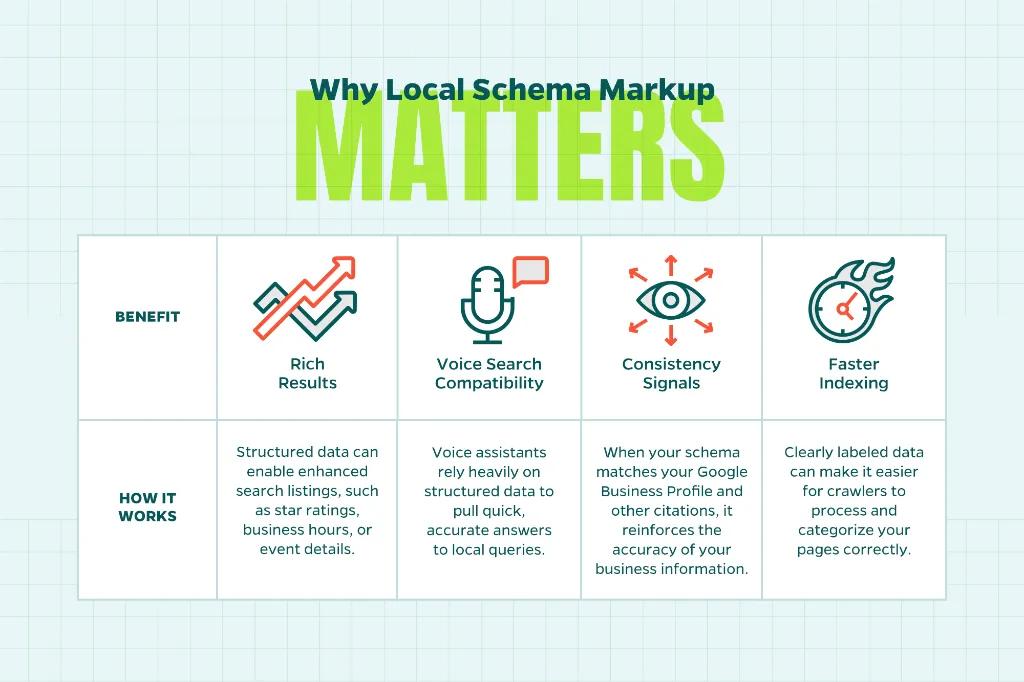
None of these outcomes are flashy on their own. Together, though, they build a stronger technical foundation for the rest of your local SEO strategy.
Key Schema Types for Local Businesses
Not every business needs the same schema. The right types depend on your industry and the details you want to highlight. Here are a few of the most useful for local businesses to include:
- LocalBusiness schema. This is the foundational type, covering your business name, address, phone number, hours, and geographic coordinates. Many industries have more specific subtypes, such as Restaurant, Dentist, or HomeAndConstructionBusiness, that allow for additional relevant fields.
- Review and AggregateRating schema. This markup surfaces customer ratings directly in search results, which can improve click-through rates by giving searchers social proof before they even land on your site.
- FAQPage schema. If you maintain an FAQ section, this markup can help those questions and answers appear as expandable results directly in search, giving you more real estate on the results page.
- Service schema. Useful for businesses that want to highlight specific offerings, particularly helpful for home services, healthcare, and other appointment-based industries.
- Organization schema. A broader option that connects your business to your logo, social profiles, and other brand assets recognized by search engines.
Layering a few of these together, rather than relying on just one, tends to produce the most complete picture for search engines.
Common Mistakes to Avoid
Schema markup is a technical task, and small errors can undercut its effectiveness. Watch out for these missteps:
- Mismatched information. If your schema lists a different phone number or address than what appears on your Google Business Profile, that inconsistency can hurt more than it helps.
- Marking up content that isn’t visible to users. Search engines expect structured data to reflect what a visitor can see and interact with on the page, not hidden or fabricated details.
- Overloading a page with irrelevant schema types. More markup isn’t always better. Stick to what’s directly relevant to the page’s content.
- Forgetting to test. Skipping validation is one of the easiest ways to let a formatting error go unnoticed for months.
How to Implement Local Schema Markup
The recommended format for schema markup is JSON-LD, a lightweight script that sits in the header of your page without interrupting the visible content. It’s the format Google explicitly recommends, and it tends to be easier to maintain than older alternatives like microdata.
Here’s a general path for getting started:
- Identify which pages need markup. This could be your homepage, location pages, and service pages.
- Choose the appropriate schema types for each page based on the content it contains.
- Generate the JSON-LD code, either manually or with a schema generator tool.
- Add the code to the page header or through your CMS’s structured data fields.
- Validate the markup using a tool like Google’s Rich Results Test or Schema Markup Validator.
For businesses with multiple locations, this process should be repeated for each location page, with unique details reflecting that specific address and contact information. A one-size-fits-all approach tends to create more confusion than clarity.
Conclusion
Local schema markup won’t replace the fundamentals of local SEO, like managing your Google Business Profile, earning reviews, or building local citations. But it does something those tactics can’t do on their own: it hands search engines an unambiguous, structured explanation of your business. Combined with a strong overall local SEO strategy, that clarity can be the difference between blending in and standing out on the results page.
It’s also worth remembering that schema markup isn’t a one-time project. As your business adds locations, updates hours, or introduces new services, your structured data should be updated right along with it. Treating schema as a living part of your website, rather than a box to check off once, keeps your local search presence accurate and dependable over the long run.
Need Help?
If your website’s schema markup could use a refresh, or you’re not sure where to start, Straight North’s local SEO team is glad to help. Contact us to talk about how structured data fits into a broader strategy for your business.