
Instagram has transformed from a simple photo-sharing app into one of the most powerful advertising platforms available. As one of Meta’s advertising platforms, Instagram has more than 2 billion monthly active users and engagement rates that outpace most social channels. Consequently, it offers businesses an incredible opportunity to connect with audiences who are ready to discover, engage, and buy.
Yet, as we head into 2026, Instagram advertising looks different than it did even a year ago. Short-form video dominates the platform, AI handles more of the heavy lifting, and privacy changes have reshaped how we target and track. If you’re new to Instagram ads—or looking to sharpen your approach—this guide will show you exactly how to turn those endless scrolls into real conversions.
Why Instagram Advertising Still Delivers in 2026
Visual Discovery Meets Purchase Intent
Instagram isn’t just about pretty pictures anymore. It’s where people actively discover products, explore brands, and make purchase decisions. Features like Instagram Shops, product tags, and native checkout have turned the platform into a genuine commerce engine. Users come to browse. So, the right ad at the right moment can turn that casual scroll into a sale.
The Right Audience, Ready to Engage
While Instagram’s core demographic skews younger (18–34), the platform has matured. Today, you’ll find engaged Gen Z buyers, Millennial professionals, and a growing Gen X audience—all comfortable shopping online and responding to compelling visual content.
AI Makes Advertising Easier
Meta’s AI tools now handle much of the complexity that used to require constant manual tweaking. From automatically finding your best audiences to optimizing creative performance in real-time, the platform does more of the work for you. This lets you focus on strategy and creative.
Getting Started: The Basics of Instagram Ads
Instagram ads run through Meta Ads Manager, the same platform that powers Facebook advertising. If you’ve advertised on Facebook, the interface will feel familiar. If you’re brand new, don’t worry—the setup is straightforward.
What You’ll Need Before You Start:
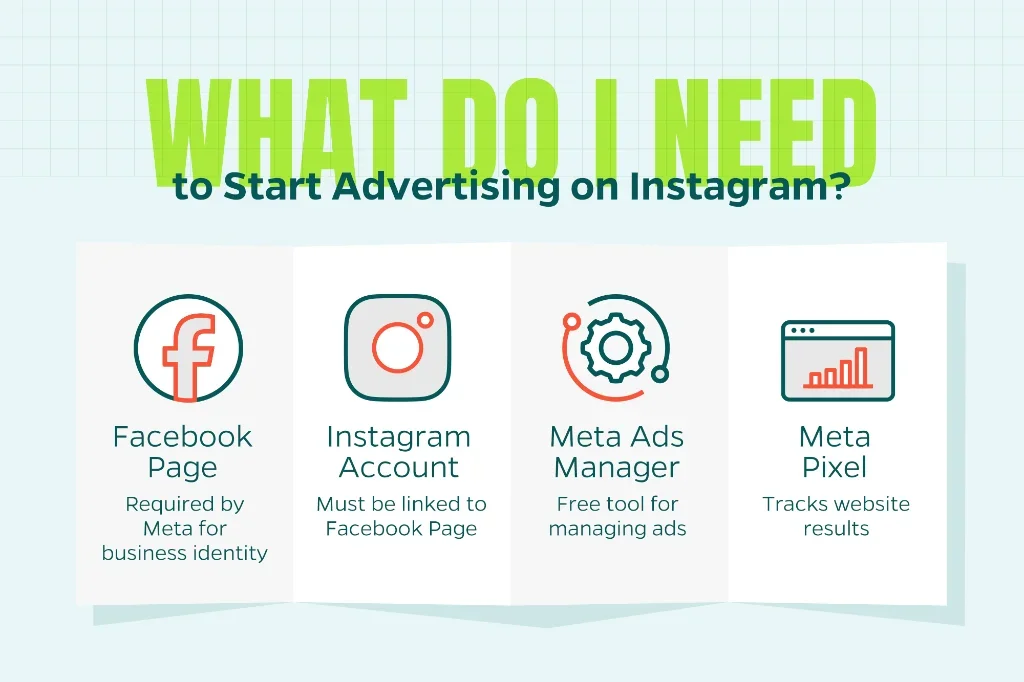
- A Facebook Page – Even though your ads will appear on Instagram, Meta requires a Facebook Page as your business identity
- An Instagram Business or Creator Account – Link this to your Facebook Page
- Meta Ads Manager Access – Available free at business.facebook.com
- The Meta Pixel Installed – A small piece of tracking code on your website (essential for measuring results
Once these pieces are in place, you’re ready to build campaigns.
Understanding Instagram’s Ad Structure
Instagram ads follow a simple three-level hierarchy:
Campaign → Ad Set → Ad
Think of it like building a house: your campaign is the foundation (what you want to achieve), your ad sets are the rooms (who sees your ads and where), and your ads are the furniture (what people see).
- Campaign Level: Choose your objective (Sales, Leads, Traffic, Engagement, etc.)
- Ad Set Level: Define your audience, budget, schedule, and placements
- Ad Level: Upload your creative—images, videos, and copy
This structure lets you test different audiences and creatives without starting from scratch each time.
Choosing Your Campaign Objective
Your objective tells Instagram what action you want people to take. This decision shapes how Meta’s algorithm optimizes your campaign.
For Beginners, Start with These:
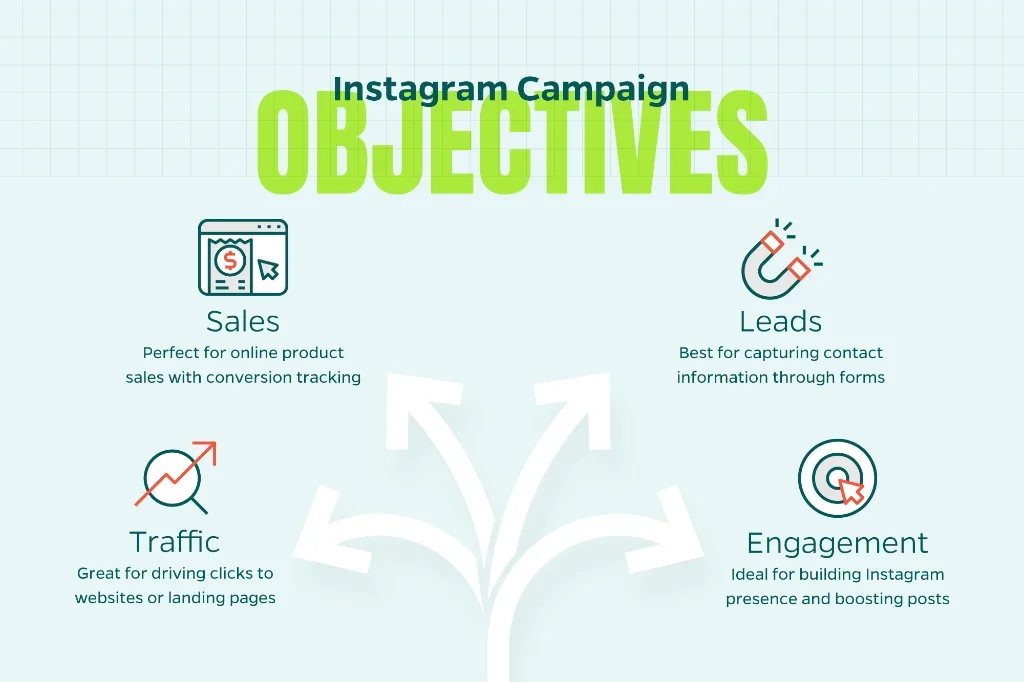
- Sales: Perfect if you’re selling products online and have conversion tracking set up
- Traffic: Great for driving clicks to your website, blog, or landing page
- Engagement: Ideal for building your Instagram presence, boosting posts, or getting more profile visits
- Leads: Best for capturing contact information through instant forms
Instagram Ad Formats: What Works Where
Instagram offers several placement options, each with its own strengths. Here’s what you need to know about each.
1. Instagram Feed Ads
These appear in users’ main scrolling feed, blending naturally with organic content.
Best For: Product showcases, storytelling, lifestyle imagery
Format: Square (1:1) or vertical (4:5) images and videos
Creative Tip: Use bold visuals and keep text minimal—let the image do the talking
2. Instagram Stories Ads
Full-screen vertical ads that appear between users’ Stories—perfect for immersive, temporary content.
Best For: Flash sales, limited-time offers, behind-the-scenes content
Format: Vertical (9:16) images or videos up to 15 seconds
Creative Tip: Add motion, even if subtle. Static Stories ads get skipped faster
3. Instagram Reels Ads
The fastest-growing format on Instagram. These full-screen vertical videos appear in the Reels feed.
Best For: Reaching younger audiences, trend-driven content, product demos
Format: Vertical (9:16) video, 15–90 seconds
Creative Tip: Make it look native as polished studio content often underperforms
4. Instagram Explore Ads
Appear when users browse the Explore tab, which is Instagram’s discovery engine.
Best For: Reaching new audiences actively looking for inspiration
Format: Square or vertical images/videos
Creative Tip: Use striking visuals that stand out in a grid of thumbnails
5. Carousel Ads
Let users swipe through multiple images or videos in a single ad.
Best For: Product collections, step-by-step tutorials, storytelling
Format: 2–10 cards, square or vertical
Creative Tip: Put your strongest visual first
Creative That Converts: What Actually Works on Instagram
Your creative is everything. No amount of targeting wizardry will save a boring ad. Here’s what performs as we head to 2026:
Design for Mobile, Think Vertical
Over 90% of Instagram users access the platform on mobile devices. That means vertical video (9:16) should be your default format. If you’re still creating square or horizontal content, you’re leaving performance on the table.
Hook Viewers in the First Second
Instagram users scroll fast. You have about one second to stop them. Use:
- Human faces (especially making eye contact with the camera)
- Bold text overlays that preview the benefit
- Motion or visual contrast that breaks the pattern
- A provocative question that creates curiosity
Embrace the “Native” Look
Highly polished, obviously branded content often gets ignored. User-generated content (UGC) and creator-style videos—those that look like they were made by a real person rather than a marketing team—consistently outperform studio-quality productions.
Keep Copy Short and Punchy
Instagram rewards simplicity. Your primary text should be 1–2 sentences max. Your headline should focus on the benefit, not clever wordplay. Your call-to-action should be clear: “Shop Now,” “Get Started,” “Learn More.”
Test, Refresh, Repeat
Creative fatigue happens fast on Instagram. An ad that performs well today might plateau in two weeks. Plan to test 3–5 creative variations per campaign and refresh your winning ads monthly.
Targeting: Finding Your Audience
One of the biggest shifts in Instagram advertising is that you don’t need to over-engineer your targeting anymore. Meta’s AI has gotten good enough that starting broad often outperforms ultra-specific audience definitions.
Start Broad
Instead of narrowing down to “25–34-year-old women in Austin who like yoga and green smoothies,” start with broader parameters like “Women, 25–44, United States.” Let Meta’s algorithm find the right people within that group based on behavior.
Use Custom Audiences for Retargeting
Custom Audiences let you reach people who’ve already interacted with your brand:
- Website visitors (tracked via the Meta Pixel)
- People who engaged with your Instagram content
- Your customer email list
- Past purchasers
These warm audiences typically convert at 3–5x the rate of cold traffic.
Expand Reach with Lookalike Audiences
Once you have a Custom Audience (especially past customers), you can create a Lookalike Audience. You are essentially asking Meta to find more people similar to your best customers. Start with a 1–2% Lookalike for precision, then expand to 3–5% as you scale.
Let Advantage+ Audiences Do the Work
Advantage+ Audiences is Meta’s automated targeting feature. You provide some guidance (like geographic location or age range), and Meta expands targeting based on performance data. For most beginners, this is the simplest path to solid results.
Budgeting and Bidding: Spending Smart
How Much Should You Spend?
Start with $20–$50 per day per ad set while you’re testing. This gives Meta enough data to optimize without burning your budget on unproven creative. Once you see consistent results, you can scale by increasing budgets 20–30% per week.
Bidding Strategy for Beginners
Stick with Lowest Cost bidding (Meta’s default). It automatically optimizes for the most results within your budget. As you gain experience, you can experiment with Cost Cap or Bid Cap to control spending more precisely.
The Learning Phase
When you launch a new campaign, Meta enters a “learning phase” where it gathers data to optimize delivery. During this phase (typically 3–7 days), performance may fluctuate. Avoid making major changes during learning. Let the algorithm do its thing.
Measuring Success: The Metrics That Matter
Don’t get lost in vanity metrics. Here’s what matters:
- Click-Through Rate (CTR): Tells you if your creative is engaging (aim for 1–2%+)
- Cost Per Click (CPC): Indicates how efficiently you’re driving traffic
- Cost Per Acquisition (CPA): Your true cost to acquire a customer or lead
- Return on Ad Spend (ROAS): For e-commerce, this is king—aim for 3x or higher
Track Accurately with the Meta Pixel
The Meta Pixel is a small piece of code you install on your website. It tracks what happens after someone clicks your ad. Did they browse? Add to cart? Purchase? Without it, you’re flying blind. Most website platforms (Shopify, WordPress, Wix) have simple Pixel integrations.
For even better tracking in 2026, pair the Pixel with the Conversions API (CAPI)—it improves data accuracy despite iOS privacy restrictions and browser limitations.
Common Mistakes Beginners Make (And How to Avoid Them)
Using the Wrong Video Format
Horizontal or square videos waste screen space. Always create vertical (9:16) content for Stories and Reels.
Changing Campaigns Too Often
Tweaking your campaign every day resets Meta’s learning phase. Give campaigns at least 5–7 days before making major adjustments.
Spreading Budget Too Thin
Running 10 ad sets at $5/day each is worse than running 2 ad sets at $25/day. Consolidate your budget so each ad set gets enough data to optimize.
Over-Polishing Creative
Studio-quality perfection often underperforms. Authenticity wins on Instagram.
Skipping Mobile Optimization
Test how your ad looks on a phone before launching. If your landing page loads slowly or isn’t mobile-friendly, you’ll waste clicks.
What’s Coming: Instagram Advertising Trends in 2026
AI-Generated Creative Assistance
Meta’s AI tools now help generate ad variations, suggest hooks, and even create video edits automatically. Expect these features to become more sophisticated throughout 2026.
Reels Will Keep Growing
Short-form video isn’t slowing down. Brands that master Reels advertising will have a significant advantage over those still relying primarily on static images.
Deeper Shopping Integration
Instagram is building more native commerce features. Expect streamlined checkout flows, better product tagging, and more seamless in-app purchasing experiences.
Privacy-First Performance Tracking
As privacy regulations tighten, Meta continues improving tools like Conversions API and modeled attribution. Staying on top of these changes will be essential for accurate measurement.
Ready to Get Started?
Instagram advertising doesn’t have to be complicated. Start with clear objectives, compelling creative, and a willingness to test and learn. Focus on vertical video, keep your messaging simple, and let Meta’s AI do the heavy lifting on targeting and optimization.
If you’re ready to build a results-driven Instagram advertising strategy but need expert guidance, Straight North can help. From campaign setup to creative strategy to ongoing optimization, our team specializes in turning Instagram ads into reliable revenue. Contact us today for a free consultation. Let’s turn your Instagram advertising into a growth engine.