
Technical generative engine optimization (GEO) makes a website accessible and understandable to AI search systems. It starts with crawler access through firewalls and robots.txt, then checks readable HTML, indexing, page structure, and schema. An llms.txt file is optional. None of these changes guarantees a citation, but a blocked page cannot be reliably discovered or retrieved.
Think of technical GEO as an access stack: CDN and firewall → robots.txt → raw HTML → indexing and page structure → entity schema → optional llms.txt. A blocked lower layer can hide everything above it.
In Straight North’s September 2026 survey of 101 marketers, 49% reported updating content for AI visibility, 33% improving technical SEO, and 15% adding or improving schema markup.
What Technical GEO Is, and How It Differs From Technical SEO
Technical GEO is the infrastructure work that helps AI-driven search systems discover, retrieve, interpret, and potentially cite a website. Traditional technical SEO already addresses crawling, indexing, canonicalization, and performance; GEO adds attention to AI-specific bots and to whether a page is useful when fetched without a browser.
“And the key element that will always be there, and an important point for us to stress, is good SEO is good GEO, and SEO is the foundation,” says Tom Lustina, a Straight North SEO expert. The point is practical: fix conventional search access problems before layering on AI-specific experiments.
“And the key element that will always be there, and an important point for us to stress, is good SEO is good GEO, and SEO is the foundation.”

Layer | Technical SEO Asks | Technical GEO Adds |
Crawling | Can Googlebot and Bingbot reach the site? | Can relevant AI search bots also reach it? |
Rendering | Can search engines process page content? | Are key facts available in raw HTML? |
Structure | Are headings, canonicals, and links coherent? | Can a retrieved passage answer a question alone? |
Structured data | Does markup match visible facts? | Is the brand identity unambiguous across sources? |
AI Crawlers: Which Bots Train Models and Which Ones Cite You
An AI crawler is an automated agent that requests web content. Some bots collect material that may be used in model training, others support search results, and still others retrieve a page in response to a user’s request. ChatGPT-related web access, for example, is not handled by a single crawler.
Provider | Bot | Primary Role | Blocking Implication |
OpenAI | GPTBot | Potential model training | Does not independently disable ChatGPT search |
OpenAI | OAI-SearchBot | ChatGPT search discovery | Can limit inclusion in ChatGPT search |
OpenAI | ChatGPT-User | User-initiated retrieval | May not follow robots.txt in the same way |
Anthropic | ClaudeBot / Claude-SearchBot / Claude-User | Training / search / user retrieval | Controls differ by bot and purpose |
Perplexity | PerplexityBot / Perplexity-User | Search / user retrieval | Search access and user fetches differ |
Googlebot / Google-Extended | Google Search crawling / separate AI-use control | Google-Extended does not control AI Overviews |
The business decision is not simply whether to “block AI.” A company may choose to restrict training use while still allowing search-oriented crawlers to discover its public pages. OpenAI documents independent controls for GPTBot and OAI-SearchBot; blocking one does not automatically block the other.
Google AI Overviews and AI Mode rely on Google Search infrastructure, including Googlebot and applicable indexing and snippet controls. Google-Extended is a separate control for certain Gemini-related uses, not an opt-out from Google Search or its AI features. User-triggered retrieval agents may also have different robots.txt behavior, so do not assume every request is governed by one file.
How to Set robots.txt Rules for AI Crawlers
A B2B website should define crawler permissions by user agent, based on its search visibility and content-use policies. Review existing blanket exclusions before copying another company’s AI bot list.
For example, this illustrative robots.txt excerpt permits OpenAI’s search bot while disallowing its training bot:
User-agent: OAI-SearchBot
 Allow: /
User-agent: GPTBot
 Disallow: /
Keep Googlebot access intact if Google Search visibility matters. Blocking Google-Extended does not remove a page from AI Overviews; Google’s noindex, nosnippet, and max-snippet controls affect Search presentation more broadly and require careful review.
Robots.txt communicates preferences to compliant crawlers. It is not a security barrier and cannot override a CDN or web application firewall that denies the request.
Check Whether Your CDN Is Blocking AI Crawlers
A crawler can be allowed by robots.txt and still receive a challenge, denial, or timeout at the network edge. CDN, bot-management, and web application firewall (WAF) rules are therefore among the first technical GEO settings to audit.
Cloudflare is one documented example of why settings need current verification: its AI crawler controls and defaults have changed over time. Its November 2026 documentation describes new domains as allowing Search, Agent, and Training traffic by default, rather than universally blocking AI bots. Existing sites can have different configurations, and overlapping rules may affect familiar search crawlers.
- Review the CDN and WAF dashboard for bot rules, managed challenges, AI crawler categories, and country or rate restrictions.
- Inspect origin and edge logs for OAI-SearchBot, Claude-SearchBot, PerplexityBot, Googlebot, and other bots relevant to your audience. Record response codes and whether requests reached the origin.
- Verify that apparent bot traffic is authentic. User-agent strings can be spoofed; use the vendors’ published IP lists or documented reverse- and forward-DNS verification methods.
- If an important search bot has no verified visits over a 30-day window, ask your developer or host to investigate. Lack of visits alone does not prove a block, especially on a small or new site.
Robots.txt is the policy you publish; the CDN is often where access is enforced. A successful test requires both permission and evidence that the crawler can receive the page.
Make Sure AI Crawlers Can Read Your Content Without JavaScript
Not every AI crawler renders JavaScript. A December 2024 Vercel and MERJ analysis found that several prominent AI crawlers fetched HTML without executing client-side scripts, although Googlebot could render JavaScript. That study is a useful warning, not a permanent guarantee about every crawler’s current capabilities.
- Open “View Page Source” and compare it with the fully rendered browser page.
- Disable JavaScript and reload important service, product, pricing, and educational pages.
- Confirm that the headline, primary answer, key facts, and useful links exist in the server-delivered HTML.
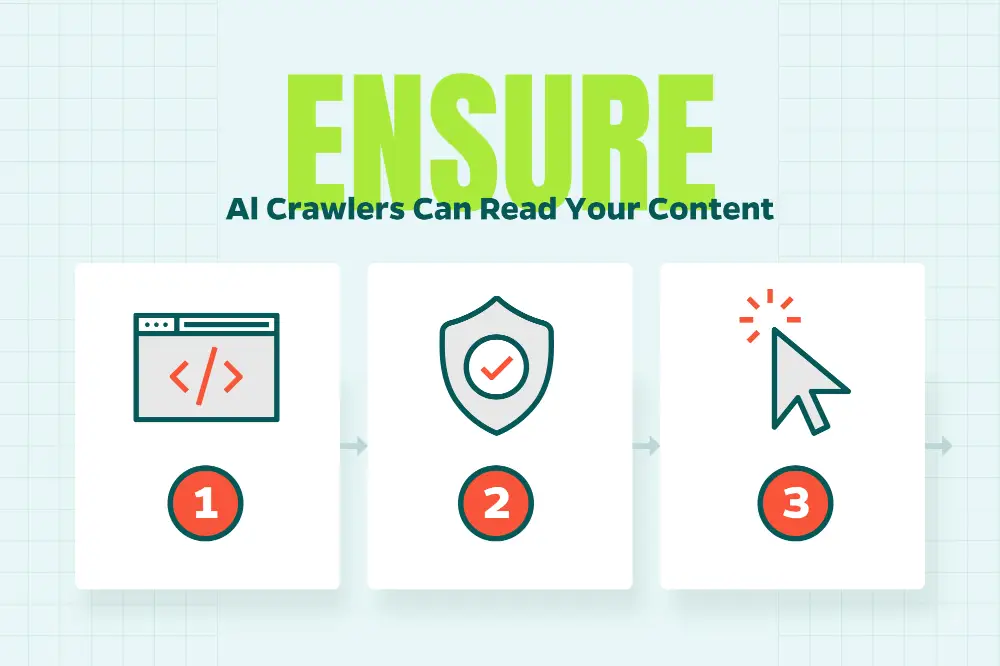
If crucial text appears only after client-side execution, discuss server-side rendering or prerendering with the development team. Accordions and tabs can be usable, but their content should not depend exclusively on a script-driven fetch.
Use Schema to Confirm Who You Are, Not to Chase Citations
Schema markup helps describe entities and relationships in machine-readable form. It is not a direct switch for AI citations: Google says no special schema.org markup is required for its AI search features, and structured data cannot rewrite information already learned by a model.
“The more consistent the web is about who you are, the more easy it is for them to represent your brand correctly,” says Bob Hand, a Straight North Senior SEO & GEO Strategist. His point applies to schema: it works best when a company’s name, services, people, and authoritative profiles agree across the site and wider web.
“The more consistent the web is about who you are, the more easy it is for them to represent your brand correctly.”

Schema Type | What It Clarifies | Typical Placement |
Organization + sameAs | Company identity and official profiles | Homepage or company page |
Person + Article / BlogPosting | Who wrote or reviewed a piece | Article pages |
Service / Product | What the company offers | Relevant service or product pages |
LocalBusiness | Location and local business details | Applicable location pages |
Use accurate properties supported by visible page content, and validate the resulting markup. A sameAs link should point to an authentic profile, not any page that mentions the brand. FAQ markup is not a shortcut to citations; Google limits FAQ rich results to a narrow set of eligible sites.
In Straight North’s September 2026 survey of 101 marketers, 15% said they had added or improved schema for AI visibility, compared with 49% who had updated existing content. Those figures describe reported activity, not which tactic produced better results.
Structure Pages So AI Can Lift Clean Answers
A page should communicate its answer clearly even when a search system extracts only one section. Strong content structure supports both human scanning and machine retrieval.
- Use one descriptive H1, specific H2 headings, and semantic HTML lists or tables rather than screenshots of text.
- Lead sections with a direct answer, then explain qualifications, examples, and evidence.
- Keep titles, canonical URLs, structured data, and visible facts consistent.
- Make each paragraph understandable without requiring the reader to reconstruct earlier context.
“I would also say that structuring your content so that key points are easy to understand and extract for LLMs, is also useful, just to make sure that that can be synthesized within answers on those tools,” says Bob Hand, a Straight North Senior SEO & GEO Strategist. Clear answer-first writing makes that extraction easier without sacrificing depth.
“I would also say that structuring your content so that key points are easy to understand and extract for LLMs, is also useful, just to make sure that that can be synthesized within answers on those tools.”
Speed, Sitemaps and Indexing Still Gate AI Search
Performance and indexing remain foundational because many AI answers depend partly on conventional search discovery. Check Google Search Console and Bing Webmaster Tools for indexing issues, maintain current XML sitemaps, correct broken canonicals, and avoid slow or unreliable server responses.
A sitemap does not guarantee indexing, and an indexed page does not guarantee an AI citation. Still, it is difficult to earn visibility from a page that crawlers cannot find or retrieve consistently.
Where llms.txt Fits (Hint: Last)
An llms.txt file is a proposed plain-text guide that points AI systems toward a website’s important resources. It is optional, and there is no established evidence that adding one improves citations across major AI search platforms. Google has stated that its Search systems ignore llms.txt.
A company can experiment with llms.txt after fixing access, HTML, indexing, and identity consistency. It should not replace a sitemap, robots.txt, or useful page content.
The Technical GEO Checklist, in Priority Order
Fix the lowest blocked layer first. A schema update cannot help a search bot that is rejected by the firewall, and an llms.txt file cannot repair missing HTML.
- Confirm that the CDN and firewall allow the search crawlers you want to reach the site.
- Review robots.txt separately for training, search, and user-fetch bots.
- Verify authentic crawler visits and response codes in server or edge logs.
- Ensure primary content and links are present in raw HTML.
- Check Google and Bing indexing, canonical URLs, and XML sitemaps.
- Use semantic headings, lists, tables, and self-contained answers.
- Align Organization, author, and service schema with visible facts.
- Resolve slow responses and persistent performance failures.
- Consider llms.txt only as an optional experiment.
“So there’s various tools like Screaming Frog or Sitebulb that allow you to crawl a website either on-demand, you just put in your domain, and you can crawl it at that moment, or you can set up scheduled crawls that can happen every week every 2 weeks, whatever you would like to set it up as,” says Nick Fatigato, a Straight North Enterprise SEO & GEO Strategist. Scheduled site crawls help detect regressions, but they do not replace server logs showing whether outside AI bots visited.
“So there’s various tools like Screaming Frog or Sitebulb that allow you to crawl a website either on-demand, you just put in your domain, and you can crawl it at that moment, or you can set up scheduled crawls that can happen every week every 2 weeks, whatever you would like to set it up as.”

How to Tell Whether Technical GEO Is Working
Measure technical access, citations, and business outcomes separately. Improvements in one category do not prove results in the next.
- Access: authenticated AI search-bot requests with successful responses in server or CDN logs.
- Visibility: citations reported in tools such as Bing Webmaster Tools’ AI Performance report, where available.
- Business: AI referral sessions, qualified leads, and customers tracked in GA4 and CRM records, with attribution limitations acknowledged.
In Straight North’s September 2026 survey, 64 of 99 respondents (65%) reported identifying leads or customers originating from or influenced by a generative AI platform. This self-reported result does not establish that technical GEO changes caused those outcomes.
Frequently Asked Questions
What Does GEO Stand For?
GEO means generative engine optimization, the practice of improving content’s discoverability and usefulness in AI-generated answers. Technical GEO focuses on the access and infrastructure behind that goal.
Is SEO Being Replaced by GEO?
No. Technical GEO builds on technical SEO, including crawlability, indexing, performance, and clear site architecture.
Does Blocking GPTBot Remove My Site From ChatGPT Search?
No. OpenAI describes GPTBot and OAI-SearchBot as independent controls. Blocking GPTBot does not, by itself, block the ChatGPT search crawler.
Does Google-Extended Affect AI Overviews?
No. Google-Extended governs separate AI-related uses, while AI Overviews depend on Google Search crawling, indexing, and applicable snippet settings.
How Can I Test Whether ChatGPT Can Access My Site?
Check verified OAI-SearchBot requests in logs, test whether important content appears in raw HTML, and inspect how a recent public page appears in ChatGPT search. A missing citation alone does not prove blocked access.
Need Help?
Want to know whether your website is ready for AI search? Contact Straight North for a technical GEO review.