

Your Google Business Profile you a direct line to people who are already searching for what you offer, when they are deciding who to call. The Posts feature is one of the most underused tools inside that profile, and it deserves more attention.
Think of Posts as a small billboard that sits right in your search listing and on Google Maps. Used well, they can turn a passive search into a click, a call, or a visit. Used poorly, or ignored altogether, they leave that space blank while a competitor fills it with an offer, an event, or a fresh product photo.
What Google Business Profile Posts Actually Do
Posts appear directly within your Business Profile in search results and on Maps. They let you share updates, promotions, events, and products without requiring someone to leave Google or visit your website first. For a local business, that visibility matters because most people never scroll past the first few results.
A well-timed post can:
- Highlight a limited-time offer or seasonal service
- Announce a new product, location, or service area
- Promote an upcoming event or workshop
- Share a recent review or milestone that builds trust
- Answer a question your customers ask often
None of this replaces a website or a review strategy. But it fills a gap those channels cannot: the split second someone is scanning search results and forming a first impression of your business.
There’s also a local search benefit worth mentioning. While Google hasn’t confirmed Posts as a direct ranking factor, an active profile with regular updates gives search engines more signals to work with, and it keeps your listing looking maintained compared to competitors who set up their profile once and never returned.
Choosing the Right Post Type for the Job
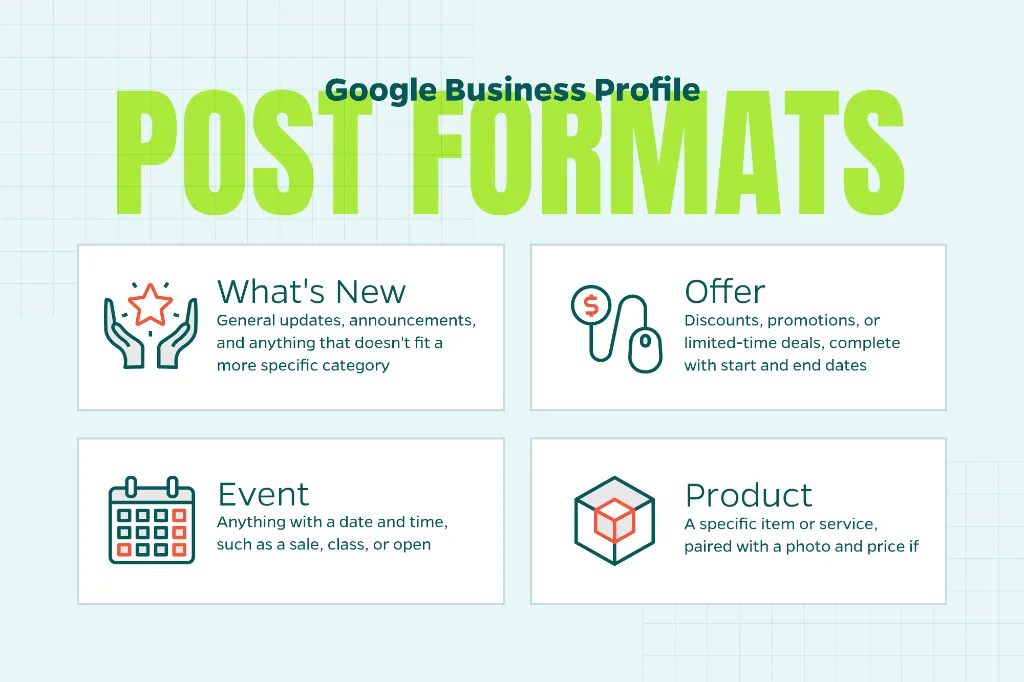
Google offers a handful of post formats, and each one serves a different purpose. Picking the wrong format for your message can bury the point you are trying to make.
- What’s New: general updates, announcements, and anything that doesn’t fit a more specific category
- Offer: discounts, promotions, or limited-time deals, complete with start and end dates
- Event: anything with a date and time, such as a sale, class, or open house
- Product: a specific item or service, paired with a photo and price if relevant
If you run a home services business, an Offer post about a seasonal maintenance discount will likely outperform a generic update. If you’re a healthcare practice, an Event post about a flu shot clinic gives people a reason to act now rather than bookmark it for later.
Writing Posts People Click
A post with no clear point will get scrolled past. The ones that perform share a few traits in common.
- Lead with the benefit, not the business name — people want to know what’s in it for them
- Keep the copy short and specific, since Google truncates longer posts
- Use a clear call to action button, such as “Book,” “Order Online,” or “Learn More”
- Pair the post with a bright, relevant photo instead of a stock image
It helps to write these the way you would talk to someone standing at your counter. “20% off spring tune-ups through May 31” tells a reader exactly what to expect and when the window closes. A vague headline like “Check out our services” gives them no reason to stop scrolling.
How Often to Post, and Why Consistency Matters
Standard posts on Google Business Profile expire after seven days, which means a profile that hasn’t been touched in a month looks stale to anyone who happens to view post history. Event and Offer posts can run longer, tied to their start and end dates, but even those need refreshing once they wrap up.
A simple cadence works better than sporadic bursts of activity. Posting once a week keeps your profile active without requiring a heavy lift, and it signals to both customers and Google that the business behind the listing is engaged and current.
If a weekly schedule feels unrealistic, batch a month of posts in one sitting and schedule them through a third-party tool that supports Google Business Profile. The important part is that your profile shows fresh activity on a predictable basis.
Tracking What’s Working
Google Business Profile includes basic performance data for each post, including views and the number of times people clicked through. This won’t replace a full analytics setup, but it’s enough to notice patterns.
If Offer posts consistently pull more clicks than general updates, lean into that format more often. If posts with a photo of your team outperform posts with product shots, let that guide your next few weeks of content. Small adjustments based on this feedback add up over time.
It also helps to compare post performance against the season or the promotion itself, rather than judging every post by the same yardstick. A holiday event post will naturally draw different engagement than a routine service reminder, so look for trends within similar post types before deciding what to change.
A Small Habit With a Real Payoff
Google Business Profile Posts won’t replace the rest of your local SEO strategy, but they fill a space that too many businesses leave empty. A few minutes each week spent sharing a timely update, offer, or event gives your profile a reason to feel active. This builds trust with the people scanning it before they’ve even visited your site.
Need Help?
If your profile could use a stronger, more consistent presence in local search results, Straight North can help you build a Local SEO strategy that puts every part of your Google Business Profile to work. Contact us today to get started.