
Equipping yourself with the right tools is essential for delivering exceptional results. Over the last few years, web design and UX landscape has evolved dramatically. Using the right tools helps you keep up with your top and competitors while taking your creative projects to the next level.
In this guide, we’ll explore the top web design and user experience (UX) tools making waves in 2025. We will break down their key features, ideal use cases, and what makes them indispensable for creating websites that convert visitors into customers.
Why Investing in the Right Tools Matters
Great web design transcends aesthetics. It’s about crafting meaningful, intuitive user experiences that drive business results. The right tools empower you to prototype rapidly, gather actionable feedback in real-time, and iterate based on genuine user insights.
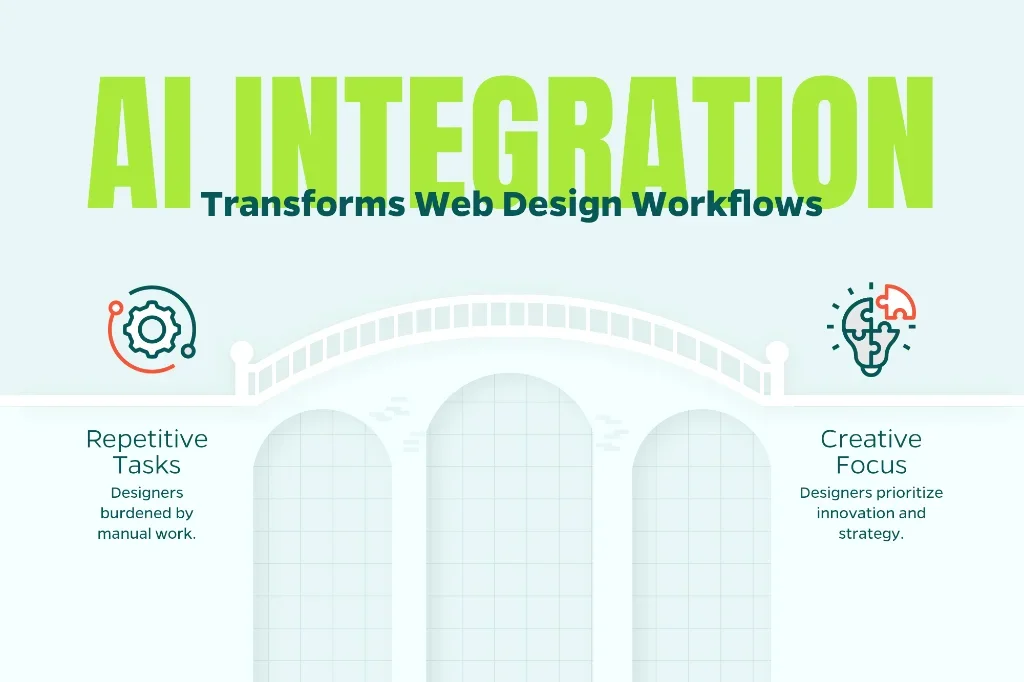
The modern creative landscape also demands tools that support modern workflows. With remote collaboration becoming the norm, it’s imperative to use cloud-based platforms that enable seamless teamwork across time zones. Today, we’ve reached a turning point where AI integration automates repetitive tasks, freeing designers to focus on creative problem-solving and strategic thinking.
Without further ado, let’s look at some of the top tools on the market in 2025.
1. Figma: The Collaborative Powerhouse for UI/UX Design
Figma has evolved from a promising newcomer to the industry standard for modern web design. This browser-based platform delivers everything designers need: wireframing, prototyping, high-fidelity mockups, and real-time collaboration that keeps teams in sync.
What sets Figma apart: Real-time editing allows multiple designers to work on a project simultaneously, eliminating version control headaches. AI-assisted auto-layouts intelligently adjust designs as content changes, while the plugin ecosystem offers thousands of extensions that streamline workflows. Features like interactive prototyping, comprehensive design systems, and built-in user testing make it a complete solution for UX professionals.
Best for: Design teams at agencies and in-house marketing departments who need to iterate quickly based on client or stakeholder feedback. The platform truly shines in collaborative environments where designers, developers, and product managers need a single source of truth.
Pricing: Free for individual designers with limited projects. Professional “full seat” plans start at $16/user/month (billed annually), with Enterprise plans offering advanced features at $90/user/month.
2. Adobe XD: Prototyping with Professional Polish
Adobe XD remains a go-to choice for designers already embedded in the Adobe Creative Cloud ecosystem. Its tight integration with Photoshop, Illustrator, and After Effects creates a seamless workflow that’s hard to match. The platform excels at creating polished, presentation-ready prototypes. It offers advanced interactions, voice prototyping capabilities, and responsive resizing to adapt designs across breakpoints effortlessly.
What sets Adobe XD apart: The repeat grid feature dramatically speeds up design of repetitive elements like product listings or card layouts. Component states allow designers to show different versions of elements (hover, active, disabled) without duplicating assets. Creative Cloud Libraries enable instant access to brand assets across all Adobe applications.
Best for: Companies with existing Adobe Creative Cloud subscriptions and designers who regularly move assets between design applications. It’s particularly strong for creating high-fidelity prototypes for client presentations.
Pricing: Included with Adobe Creative Cloud subscriptions start at $24.99/month billed annually.
3. Webflow: Design Meets Development
Webflow bridges the gap between design and development like no other platform. It’s a visual website builder that generates clean, production-ready code—allowing designers to create fully functional, responsive websites without writing a single line of HTML, CSS, or JavaScript.
What sets Webflow apart: The platform provides unprecedented design freedom while maintaining code quality that developers respect. Its CMS capabilities make it suitable for content-heavy sites, while the hosting infrastructure ensures fast load times. The visual canvas mirrors the final product with pixel-perfect accuracy, and the interactions panel enables complex animations without coding knowledge.
Best for: Designers who want to deliver finished, client-ready websites independently, or agencies looking to streamline the handoff between design and development. It’s particularly valuable for marketing sites, portfolios, and small-to-medium business websites.
Pricing: Free for basic projects. Paid site plans start at $14/month for basic sites, with CMS plans at $23/month and Business plans at $39/month.
4. Sketch: The Mac-Exclusive Design Veteran
Sketch pioneered many features now considered standard in design tools, and it remains a powerful choice for Mac users. While Figma has captured market share, Sketch continues to evolve with improved collaboration features and a robust plugin ecosystem that have made it popular with a growing fan base.
What sets Sketch apart: Lightning-fast performance on Mac hardware, comprehensive vector editing tools, and symbol overrides that make creating design systems efficient. The local-file approach appeals to teams with security concerns, while the extensive plugin library (including Abstract for version control) addresses nearly any workflow need.
Best for: Mac-based design teams, particularly those working on Apple ecosystem products or those who prefer desktop applications with optional cloud collaboration. Strong choice for teams requiring local file storage for security reasons.
Pricing: Individual licenses at $10/month.
5. Maze: User Testing Made Simple
Maze transforms user research from a time-consuming process into a rapid feedback loop. This testing platform integrates directly with Figma, Sketch, and Adobe XD, allowing designers to gather quantitative data on prototypes before committing to development.
What sets Maze apart: Automated usability metrics including misclick rates, path analysis, and time-to-completion provide objective data to support design decisions. Heatmaps reveal where users focus attention, while the question branching creates sophisticated research flows. Tests can be deployed in hours, not weeks, with results appearing in real-time dashboards.
Best for: UX researchers and designers who need quantitative validation of design decisions. Particularly valuable for agencies justifying design choices to clients or product teams prioritizing features based on user behavior data.
Pricing: Free plan for basic testing. Pro plan quotes are available when you reach out to Maze.
6. Miro: The Digital Whiteboard for Design Thinking
Miro excels in the early stages of the design process—ideation, user journey mapping, and collaborative workshops. This infinite canvas platform brings the energy of in-person brainstorming sessions to distributed teams.
What sets Miro apart: Pre-built templates for user story mapping, customer journey maps, and design sprints get teams productive immediately. Real-time collaboration with video chat integration creates engaging workshop experiences. Integrations with Jira, Slack, and Microsoft Teams keep insights connected to execution.
Best for: Facilitating design sprints, conducting remote workshops, creating user journey maps, and organizing research findings. Essential for teams practicing design thinking methodologies.
Pricing: Free for up to 3 editable boards. Team plans start at $8/user/month.
7. Framer: Code-Powered Design Freedom
Framer represents the cutting edge of design tools. It’s both a prototyping tool and a website builder, with a unique approach that appeals to designers who want more control than traditional tools provide.
What sets Framer apart: React-based components enable sophisticated interactions that would be impossible in purely visual tools. The code editor is optional. Designers can work entirely visually, while developers can extend functionality with custom code. CMS capabilities and built-in hosting make it a complete solution for modern marketing sites.
Best for: Design teams with some coding knowledge who want to push beyond the limitations of traditional design tools. Particularly strong for creating interactive marketing sites and innovative digital experiences.
Pricing: Basic plans start at $10/month.
8. Notion: Documentation and Project Management for Designers
While not strictly a design tool, Notion has become indispensable for organizing design systems, maintaining documentation, and managing projects. Its flexibility makes it the perfect companion to visual design tools.
What sets Notion apart: The database functionality allows teams to create custom design system documentation, asset libraries, and project trackers. Embedded Figma files keep design and documentation connected. The template ecosystem offers ready-made solutions for design sprint planning, user research repositories, and more.
Best for: Teams needing centralized documentation for design systems, managing design projects, and creating living style guides that evolve with products.
Pricing: There is a free tier for individuals. Plans start at $10/user/month.
Choosing the Right Tools for Your Workflow
The best tool stack depends on your specific needs, team size, and workflow preferences. Most successful design teams build an ecosystem of complementary tools rather than relying on a single solution.
Consider starting with a core design tool (Figma or Adobe XD), adding user testing capabilities (Maze), and supporting ideation with collaboration platforms (Miro). As your process matures, specialized tools can fill specific gaps in your workflow. It may seem like a lot at first, but an investment in quality tools pays dividends through faster iteration, better collaboration, and ultimately, superior results.
Ready to elevate your web design projects? Straight North’s team delivers strategic design services that drive measurable results. Interested? Contact us today to discuss how we can transform your digital presence.