

Facebook remains one of the most powerful digital advertising platforms available to businesses today. Despite the rise of newer channels like TikTok and Threads, Facebook’s scale, targeting precision, and full-funnel capabilities continue to make it a cornerstone of Meta Advertising.
With over 3 billion monthly active users and advanced AI tools built into Ads Manager, Facebook offers unmatched opportunities to connect with customers at every stage of their journey.
In a recent article, we provided an overview of what to know about advertising with Meta. In this guide, we’ll drill down on the Facebook platform—offering advertising tips to help you improve performance, maximize ROI, and build campaigns that truly convert in 2026.
Why Facebook Ads Still Matter
Many marketers wonder if Facebook is still worth it. The short answer: absolutely.
Even as user behavior evolves, Facebook’s ecosystem remains a goldmine for data-driven marketers. The platform combines extensive audience targeting with robust creative options, making it ideal for both B2C and B2B campaigns.
Here’s why Facebook Ads continue to deliver results:
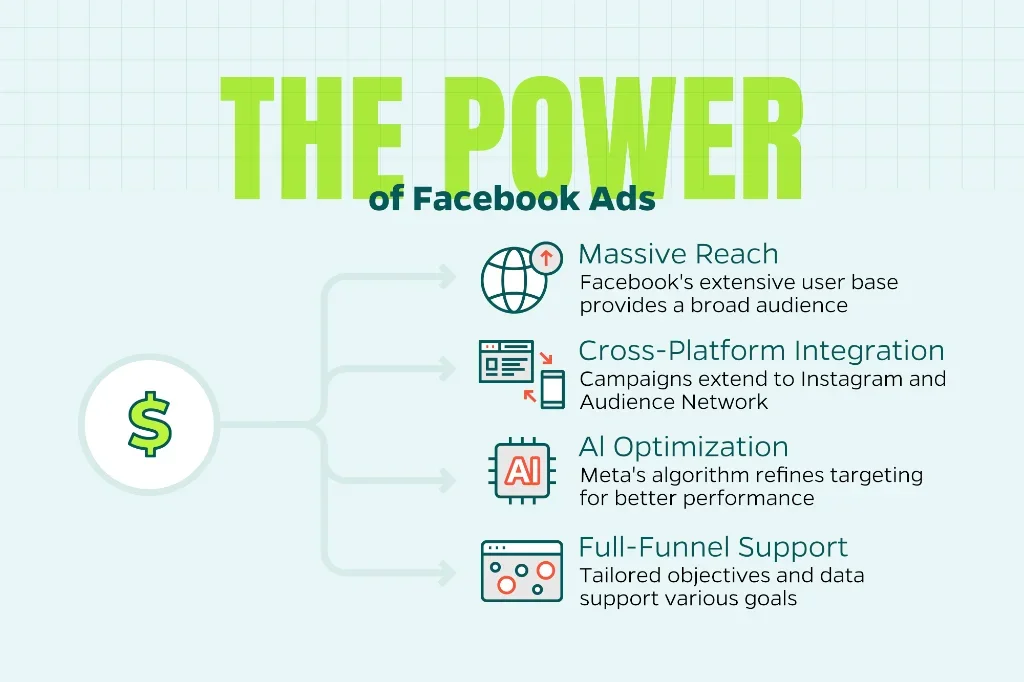
- Massive reach: Facebook remains the largest social media platform in the world, offering the broadest potential audience.
- Cross-platform integration: Campaigns automatically extend into Instagram and the Audience Network when optimized through Advantage+ placements.
- Sophisticated AI optimization: Meta’s algorithm continually refines targeting and creative delivery for better performance.
- Full-funnel support: Whether your goal is awareness, lead generation, or sales, Facebook offers tailored objectives and data to support it.
Simply put, Facebook Ads work if you approach them strategically. Let’s look at how.
1. Start with Clear Campaign Objectives
Before you launch any ad, identify exactly what success looks like. Facebook Ads Manager offers several campaign objectives. Each objective is tied to a specific part of the customer journey.
Here’s a quick breakdown:
- Awareness: Increase brand recognition and reach new audiences.
- Traffic: Drive visitors to your website or landing page.
- Engagement: Boost post likes, comments, shares, or event responses.
- Leads: Capture contact information through forms without users leaving Facebook.
- App Promotion: Encourage downloads or in-app actions.
- Sales: Drive conversions like purchases, sign-ups, or subscriptions.
Choosing the right objective isn’t just a formality. It tells Facebook’s algorithm what to optimize for, directly impacting who sees your ads and how the auction prioritizes them.
For example, if you select “Traffic,” Facebook will show your ad to users most likely to click. Choose “Sales,” and the algorithm targets users with a history of purchasing.
Keep in mind: Don’t try to do everything with one campaign. If you want both awareness and conversions, create separate campaigns. This keeps your data clean and allows Facebook’s AI to optimize effectively.
2. Master Facebook’s Three-Tier Campaign Structure
Understanding Facebook’s campaign architecture is essential for organized, scalable advertising. The platform uses a three-level hierarchy:
Campaign Level
This is where you set your overarching objective (Awareness, Traffic, Leads, Sales, etc.). Think of it as your mission statement. One campaign = one primary goal.
Ad Set Level
Here’s where the real strategy happens. At the ad set level, you configure:
- Targeting: Who sees your ads (demographics, interests, behaviors, Custom or Lookalike Audiences)
- Placements: Where ads appear (Facebook Feed, Stories, Marketplace, right column, etc.)
- Budget and schedule: Daily or lifetime spend, start/end dates
- Optimization and delivery: What Facebook optimizes for (conversions, link clicks, impressions)
You can run multiple ad sets within one campaign to test different audiences or placements. For instance, one ad set might target women ages 25-34 interested in fitness, while another targets men ages 35-44 interested in wellness products.
Ad Level
This is your creative layer. It consists of the images, videos, headlines, body copy, and call-to-action buttons that users see. You can test multiple ad variations within each ad set to discover what resonates best.
Why this matters: A clean structure prevents chaos as you scale. It also helps Facebook’s algorithm learn faster. When you constantly shuffle budgets or make drastic edits, you reset the learning phase. This wastes time and money.
Start simple: one campaign, 2-3 ad sets, 2-3 ads per set. Expand as data reveals what works.
3. Leverage Facebook’s Targeting Capabilities
Targeting is where Facebook truly shines. The platform has access to vast amounts of first-party data, allowing you to reach highly specific audiences.
Core Audiences
Start with basic demographic and interest-based targeting:
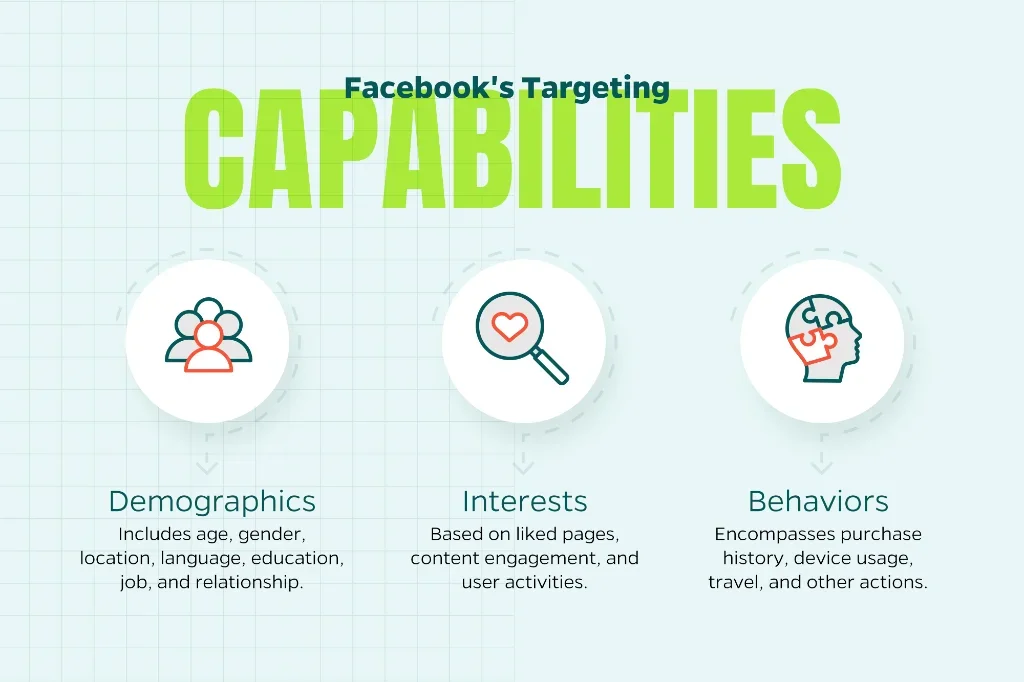
- Demographics: Age, gender, location, language, education level, job title, relationship status
- Interests: Based on pages liked, content engaged with, and activities
- Behaviors: Purchase behavior, device usage, travel patterns, and more
For example, instead of targeting “everyone interested in running,” narrow it down to “women ages 28-45 who have purchased athletic apparel online in the past 30 days.” Specificity improves relevance, which lowers costs and boosts performance.
Custom Audiences
These are great for retargeting. Custom Audiences let you reach people who already know your brand:
- Website visitors: Using the Meta Pixel, target users who visited specific pages
- Customer lists: Upload email addresses or phone numbers to reconnect with existing customers
- App users: Engage people who’ve installed or interacted with your app
- Engagement audiences: Reach users who’ve interacted with your Facebook or Instagram content
Custom Audiences typically deliver the highest ROI because you are targeting warm leads who are already familiar with your business.
Lookalike Audiences
Once you’ve built a Custom Audience, Facebook can find new users who share similar characteristics with your best customers. This is called a Lookalike Audience.
Start with a “seed” audience of at least 1,000 people (ideally your highest-value customers), then let Facebook create a 1-10% lookalike based on your target country’s population. A 1% lookalike is most similar to your seed; a 10% is broader.
Advantage+ Audiences
Recently, Facebook’s AI has gotten smarter. Advantage+ Audiences allow the algorithm to automatically expand beyond your defined targeting to find additional high-performing users. It’s a set-it-and-forget-it option that works well once you have conversion data.
Use this feature when scaling successful campaigns, but keep manual targeting for testing and learning phases.
4. Choose the Right Ad Formats and Creatives
Your creative is the first thing users see. Facebook offers multiple ad formats, each suited to different goals.
Single Image or Video Ads
The simplest and most versatile format. Use high-quality images (1200 x 628 pixels for Feed, 1080 x 1080 for square) or short videos (15 seconds or less). It’s best to hook viewers in the first 3 seconds.
Carousel Ads
Showcase up to 10 images or videos in a “swipeable” format. It’s perfect for e-commerce brands highlighting multiple products, or service businesses explaining step-by-step processes. Carousel ads often see 10-30% higher click-through rates than single-image ads.
Collection Ads
These create an immersive, full-screen shopping experience directly within Facebook. Users can browse products without leaving the app, reducing friction and boosting conversions. Ideal for e-commerce brands with large catalogs.
Video Ads
Video consistently outperforms static images, especially on mobile. Keep videos short (under 30 seconds), use captions (85% of users watch without sound), and front-load your value proposition. User-generated content (UGC) style videos—which are authentic and less polished—often perform best.
Stories and Reels Ads
Stories and Reels feel native to the platform and drive strong engagement, particularly with younger demographics. Use bold text overlays and quick cuts to maintain attention.
Best Practices for High-Performing Creatives:
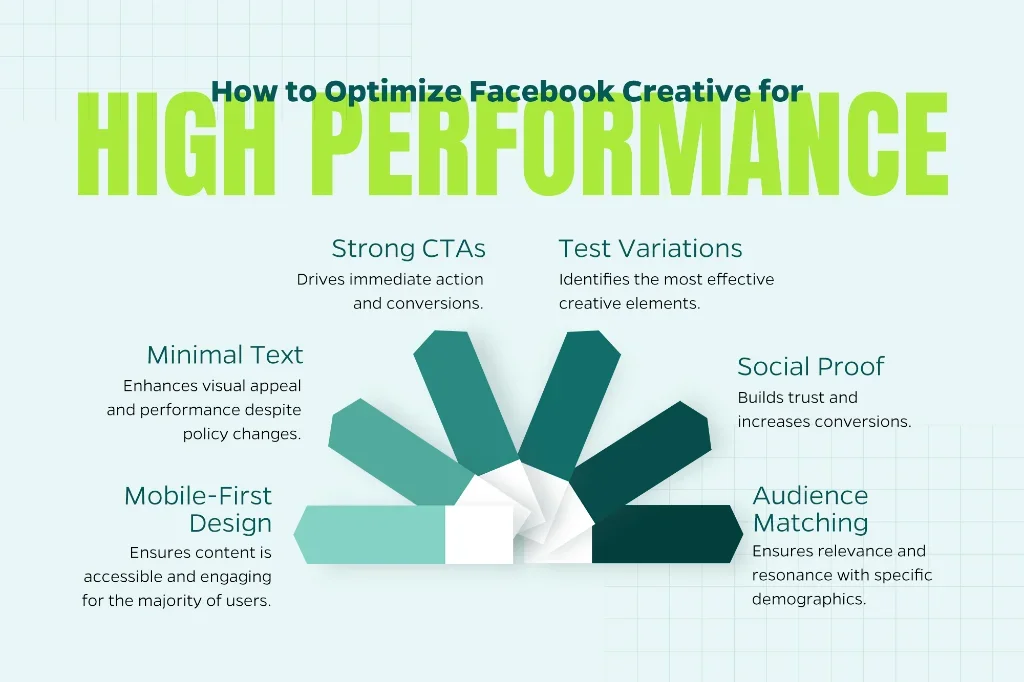
- Design for mobile first: 90% of Facebook users access the platform via mobile devices
- Keep text minimal: Facebook no longer penalizes text-heavy images, but cleaner visuals perform better
- Use strong CTAs: Be clear and direct with CTAs like “Shop Now,” “Learn More,” “Get Started,” and “Download Free Guide”
- Test multiple variations: Run 3-5 creatives per ad set to identify winners
- Incorporate social proof: Testimonials, reviews, and UGC build trust and boost conversions
- Match creative to audience: What resonates with Gen Z won’t necessarily work for Baby Boomers
5. Set a Smart Budget and Bidding Strategy
Budgeting doesn’t have to be complicated. Facebook offers flexible options that work for businesses of all sizes.
Daily vs. Lifetime Budgets
- Daily budget: Facebook spends roughly the same amount each day. Best for ongoing campaigns with consistent delivery.
- Lifetime budget: Set a total spend for the campaign’s duration. Facebook distributes the budget to maximize results, spending more on high-performing days. Ideal for time-sensitive promotions or events.
Starting recommendation: $10-50 per day per ad set. This provides enough data for Facebook’s algorithm to optimize without breaking the bank.
Bidding Strategies
Facebook’s auction system determines which ads to show based on bid amount, estimated action rates, and ad quality. You can choose from several bidding strategies:
- Lowest Cost (automatic): Facebook optimizes to get the most results for your budget. Great for beginners or those who trust the algorithm.
- Cost Cap: Set a maximum cost per result (e.g., no more than $10 per lead). Facebook will aim to stay under this cap while maximizing volume. Useful for maintaining predictable costs.
- Bid Cap: Set a maximum bid for each auction. This gives you more control but requires experience to avoid under-delivery.
- ROAS Goal (Return on Ad Spend): Tell Facebook the minimum return you need (e.g., 3x ROAS), and it will optimize accordingly. Best for e-commerce brands with conversion tracking in place.
Scaling Without Breaking the Bank
Once you’ve found a winning campaign, resist the urge to 10x your budget overnight. Facebook’s algorithm needs time to adjust. Instead:
- Increase budgets by 20-50% every 3-5 days
- Duplicate successful ad sets rather than editing existing ones
- Use Campaign Budget Optimization (CBO) to let Facebook allocate spend across ad sets automatically
6. Install and Optimize the Meta Pixel
The Meta Pixel is a small piece of code that sits on your website and tracks user actions. It’s the backbone of conversion tracking, retargeting, and optimization.
Why the Pixel Matters
Without the Pixel, you’re flying blind. It allows you to:
- Track conversions and attribute them to specific ads
- Build Custom Audiences of website visitors
- Create Lookalike Audiences based on converters
- Optimize campaigns for specific actions (purchases, sign-ups, downloads)
How to Set It Up
- Go to Events Manager in your Facebook Business account
- Click “Connect Data Sources” and select “Web”
- Choose “Meta Pixel” and follow the setup instructions
- Install the code manually in your website header, or use integrations with platforms like Shopify, WordPress, or Wix
- Test the Pixel using the Meta Pixel Helper Chrome extension to ensure it works
Setting Up Events
Beyond the base Pixel, set up Standard Events to track key actions:
- ViewContent: Someone viewed a product or page
- AddToCart: Item added to shopping cart
- InitiateCheckout: User began checkout process
- Purchase: Completed transaction
The more granular your tracking, the smarter Facebook’s optimization becomes.
7. Test, Measure, and Optimize Relentlessly
Facebook advertising is about data. Like PPC ad metrics, continuous testing and optimization separate good Facebook campaigns from great ones.
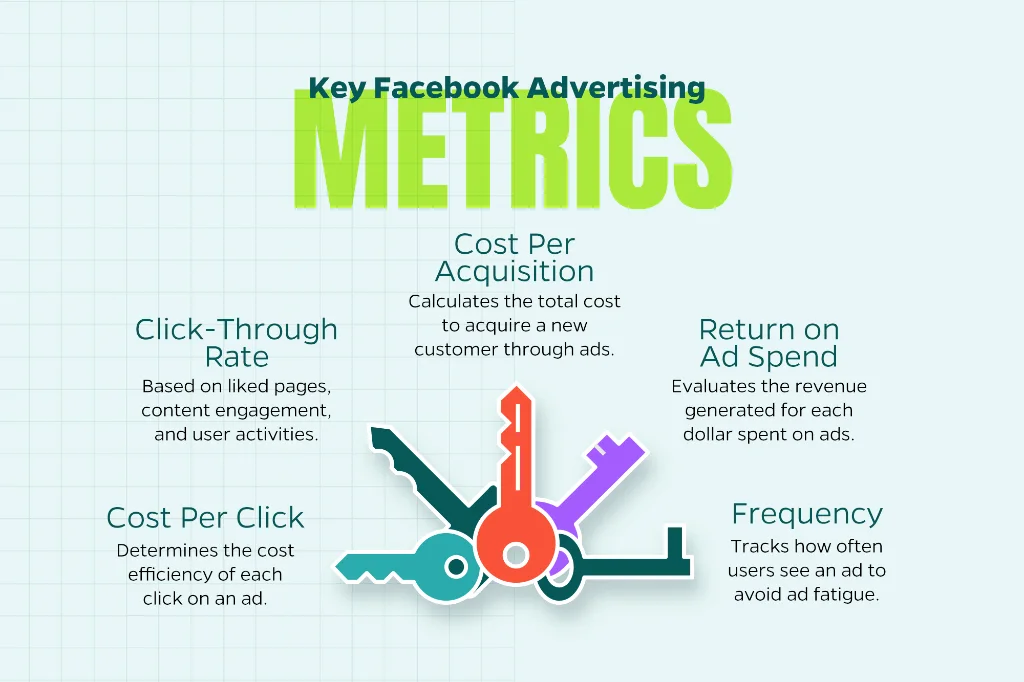
Key Metrics to Monitor
- CTR (Click-Through Rate): Industry average is 1-2%. Higher CTR means your creative and targeting are resonating.
- CPC (Cost Per Click): How much you pay per click. Lower is better, but don’t sacrifice quality for cheap clicks.
- CPA (Cost Per Acquisition): Total ad spend divided by conversions. This is your north star metric for ROI.
- ROAS (Return on Ad Spend): Revenue generated divided by ad spend. A 4x ROAS means you earn $4 for every $1 spent.
- Frequency: How many times the average user sees your ad. Above 3-4 can indicate ad fatigue.
A/B Testing Best Practices
Test one variable at a time so you know what drives results.
- Creative testing: Try different images, videos, headlines, or body copy
- Audience testing: Compare different demographics, interests, or Lookalike percentages
- Placement testing: Manual placements vs. Advantage+ automated placements
- CTA testing: “Shop Now” vs. “Learn More” vs. “Sign Up”
Give each test at least 7 days and $50-100 in spend to gather meaningful data. Facebook’s built-in A/B testing tool makes this easy. Just duplicate your ad set and change one element.
When to Optimize vs. End
- Optimize if CTR is low: Refresh your creative or refine targeting
- Optimize if CPC is high but CTR is good: Your audience might be too competitive; try a Lookalike or different interest
- End if CPA is 2x your target after 7 days with 50+ conversions: The campaign isn’t working
8. Leverage Automation and AI Tools
Facebook’s AI has matured significantly. Advantage+ campaigns and automated features can save time while improving performance.
Advantage+ Shopping Campaigns
Designed for e-commerce, these campaigns use AI to automate targeting, creative, and placements. Simply upload your product catalog, set a budget, and let Facebook handle the rest. Many brands see 20-30% better ROAS compared to manual campaigns.
Dynamic Ads
Automatically show personalized products to users based on their browsing behavior. If someone viewed a specific item on your website, Dynamic Ads will retarget them with that exact product—no manual setup required.
Automated Rules
Set up rules to pause underperforming ads, increase budgets on winners, or send notifications when metrics hit certain thresholds. This keeps campaigns running efficiently even when you’re not actively monitoring.
Final Thoughts: Make Facebook Ads Work for You
As we head towards 2026, Facebook Advertising is more powerful and accessible than ever. By setting clear objectives, leveraging smart targeting, testing relentlessly, and staying compliant, you can build campaigns that consistently deliver results.
Need help getting started or optimizing your current campaigns? At Straight North, we craft Facebook advertising strategies that align with your business objectives. From setup to scaling, our team of experts can help you maximize ROI and turn your ad spend into serious revenue. Interested? Contact us today.
